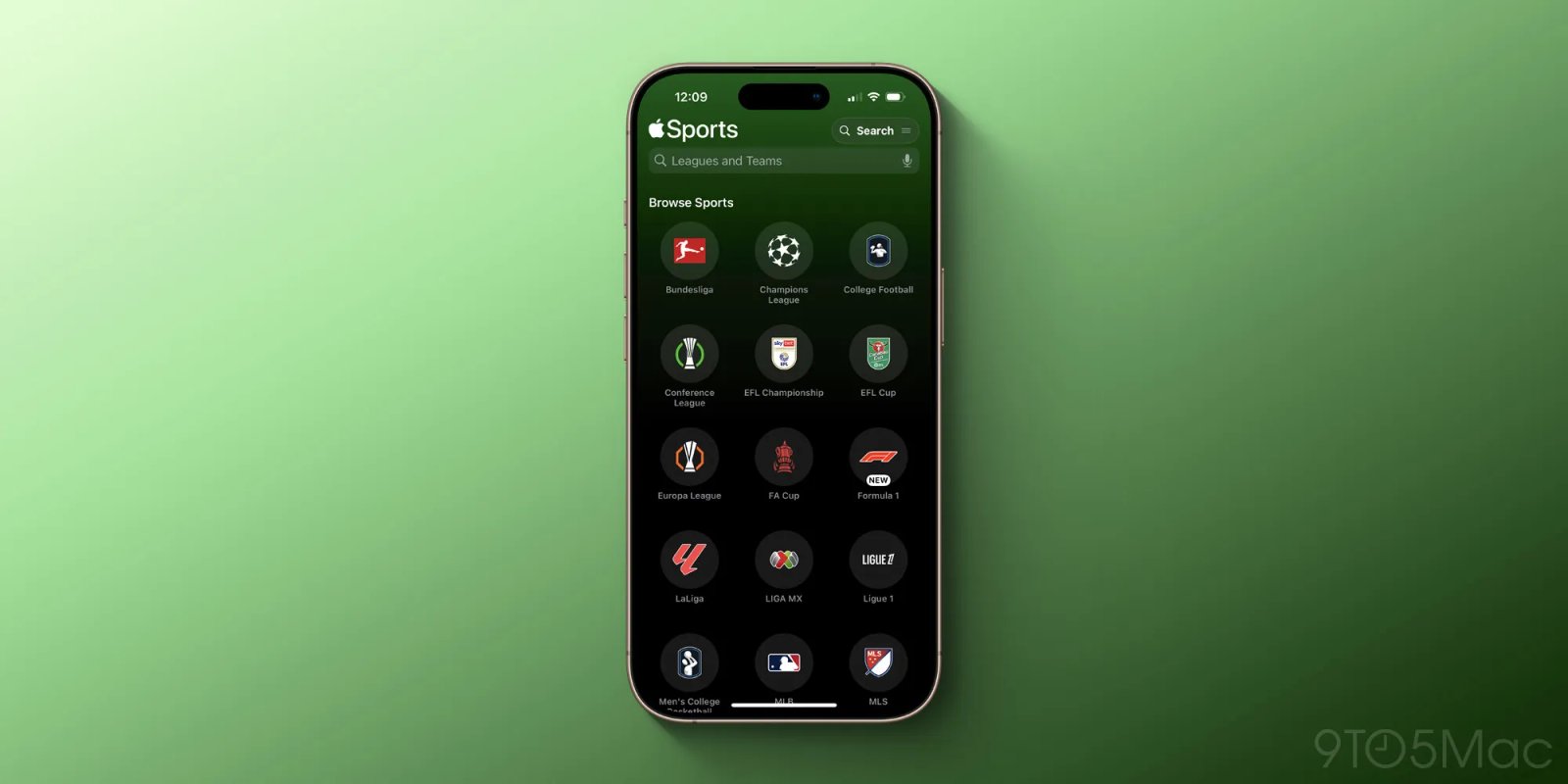
Major League Soccer (MLS) kicks off a brand new season this Saturday, and for the primary time, each and every unmarried fit will likely be integrated loose with an Apple TV subscription. Here are the main points.
MLS season kicks off this Saturday, with all suits streamed on Apple TV
Major League Soccer returns this weekend. But not like earlier years, when a separate MLS Season Pass subscription used to be required, all MLS suits this season will likely be integrated loose for Apple TV subscribers.
Against the backdrop of a milestone yr for the game — because the FIFA World Cup involves North America — Apple TV subscribers in additional than 100 nations and areas can experience get admission to to each and every MLS fit without a blackouts. They’ll additionally get in-depth protection and research, unique content material, and suits past the common season — together with the once a year Leagues Cup event, Michelob ULTRA Campeones Cup, MLS All-Star Game, and the Audi MLS Cup Playoffs.
All of this MLS content material will also be discovered at once within the Apple TV app throughout iPhone, iPad, Mac, Apple TV 4K, Vision Pro, Android, and sensible TV platforms.
Subscribers will even achieve get admission to to all Apple Originals, similar to Severance, Ted Lasso, Pluribus, and the approaching Formula 1 season in the United States.
Apple’s TV app will likely be house to MLS, however the corporate says it’ll advertise the game thru different apps too:
After the recognition of far off paintings tradition, on-line companies and on-line categories, the call for for printers in fashionable properties has surged. Whether for putting in place a house administrative center, getting ready learn about fabrics or construction a small industry, a printer is an excessively fundamental and number one funding. Wireless laser printers with Wi-Fi and cellular printing be offering extra pace and comfort in comparison to conventional stressed printers. Wi-Fi-enabled fashions let more than one customers hook up with the tool and take printouts with out litter, which is probably the most most well-liked function for shared offices. With AirPrint, Mopria, Mobile Connect and different particular apps by means of other manufacturers, customers can print without delay from their smartphones, laptops and even drugs. This turns out to be useful for on-line industry house owners and pros.
Currently, more than one manufacturers like HP, Canon and Brother are promoting wi-fi laser printers with toughen for Wi-Fi and cellular printing answers. Here we’ve indexed the most productive 5 laser printers with Wi-Fi and cellular printing to be had out there at the moment.
HP 323sdnw
HP 323sdnw is an auto-duplex Wi-Fi laser printer with print, scan and duplicate functionalities. It options an LCD panel and delivers 30 pages in keeping with minute (ppm) printing pace. You gets 256MB of reminiscence, and this monochrome fashion can be utilized for printing papers and envelopes in black ink. It is perfect for each top and low-volume printing and provides Wi-Fi connectivity and USB 2.0 compatibility for direct connections.
This HP printer options an 181A Black Original Laser Toner Cartridge. It has a 250-sheet enter tray and a 100-sheet output tray and helps all media varieties, together with A4, A5, A5 (LEF), amongst others.
HP 323sdnw Price in India
The HP 323sdnw is priced at Rs. 24,499 in India. You can get this fashion via Amazon in a Black colourway.
HP Laser MFP 1188w
The 2nd on this checklist is HP’s Laser MFP 1188w wi-fi printer with printing, copying and scanning features. So, customers can print a monochrome report and scan it with a flatbed scanner. It provides each Wi-Fi and USB connectivity. The system provides as much as 21ppm pace and boasts a 150-sheet enter tray and a 100-sheet output tray. It comes with one-year guaranty.
HP Laser MFP 1188w weighs 7.54kg, and it contains HP Black Contractual Original Laser Toner Cartridge with as much as 1500-page yield. It includes a two-line LCD panel that includes LED indicator lighting fixtures nd 12 keep an eye on panel buttons for navigation. It can be utilized for printing A4, A5, A5(LEF), B5 (JIS), Oficio, pages and C5, DL envelopes.
HP Laser MFP 1188w Price in India
The HP Laser MFP 1188w prices Rs. 17,999. It is to be had within the white coloration.
Brother MFC-B7810DWB
The Brother MFC-B7810DWB is some other standard A4 monochrome laser printer to be had in India with each Wi-Fi and cellular printing features. It has a print pace of as much as 34ppm, and that makes it appropriate for house workplaces and small companies. It helps USB 2.0, LAN, Wi-Fi, Wi-Fi Direct, AirPrint, Mopria, and Brother Mobile Connect connectivity choices. The printer options automated two-sided printing and has an Automatic Document Feeder (ADF).
Like different standard Brother printers, this fashion additionally delivers most print solution of as much as 1,200X1,200 dpi. It boasts keep an eye on buttons and a 2-line LCD display screen for UI navigation. The system has 256MB of onboard reminiscence and a 250-sheet paper tray. It features a full-capacity black toner cartridge with a yield of as much as 2,600 pages. The printer weighs 12kg.
The Brother MFC-B7810DWB is priced at Rs. 31,990 in India
HP Laserjet Tank MFP 2606sdw
HP’s Laserjet Tank MFP 2606sdw is some other standard wi-fi printer with an all-in-one resolution for print, replica, and scan purposes. It has USB 2.0, Dual-band Wi-Fi, Ethernet, and Bluetooth Low Energy for connectivity. It boasts HP Black Original LaserJet Tank Imaging Drum and is said to have a 5000-page toner yield. HP is offering 1-year restricted {hardware} guaranty for this fashion.
The HP Laserjet Tank MFP 2606sdw has a print speeds as much as 22 ppm. It provides auto-duplex printing and a 40-sheet automated report feeder. You can use it for all usual media sizes like A4, A5, A6, No.10/C5/DL/B5 Env, B5(JIS), B6 (JIS) and extra. The printer has 250-sheet enter and 100-sheet output ability. It additionally boasts an LCD panel with two lighting fixtures and 10 keep an eye on panel buttons for simple navigation.
HP Laserjet Tank MFP 2606sdw Price in India
HP LaserJet Tank MFP 2606sdw Printer is priced at Rs. 21,999.
Canon imageCLASS LBP243dw
Canon imageCLASS LBP243dw is a monochrome laser beam printer that gives print speeds of as much as 36 pages in keeping with minute (A4) and 37 pages in keeping with minute (Letter). It has Wi-Fi 802.11b/g/n and USB 2.0 connectivity and helps automated duplex printing. For duplex printing, the system provides a printing pace of as much as 30 pages in keeping with minute (A4) and 31 sheets in keeping with minute (Letter). The corporate recommends a per thirty days printing quantity of 750 to 4,000 pages.
You can use it with the Canon Print Business app, Canon Print Service (Android), AirPrint, Mopria, and Microsoft Universal Print. With a print solution of 600x600dpi, the Canon imageCLASS LBP243dw helps UFR II and PCL 6 print languages. It features a 250-sheet cassette and a 100-sheet tray as usual. Users tough extra printing paintings can go for the 550-sheet paper feeder that expands general enter ability as much as 900 sheets.
Canon imageCLASS LBP243dw Price in India
Canon is lately selling the imageCLASS LBP243dw for Rs. 33,490.
Brother DCP-L2640DW
The Brother DCP-L2640DW is our remaining pick out on this checklist with each Wi-Fi and cellular compatibility with each Android and IOS units. This auto-duplex laser printer provides 34ppm printing pace and will care for all printing, scanning, replica purposes. It has 256MB reminiscence and a 250 sheet tray. It is appropriate with all primary running programs together with Windows, Mac and Linux.
In monochrome, it provides most print solution of as much as 1200 x 1200 dpi. It helps all usual media varieties and is appropriate with the TN-2570XL Toner Cartridge. It supplies two-sided printing and is regarded as perfect for house and small workplaces. Power wattage of the printer is 470 W.
Brother DCP-L2640DW Price in India
You can get the Brother DCP-L2640DW for Rs. 24,529. It is lately up on the market on Amazon in a Grey color choice.
FAQs
1. What are the advantages of a wi-fi laser printer? Wireless laser printers permit more than one customers to print with out cable connections.
2. How do laser printers permit cellular printing? Mobile printing is enabled via options like AirPrint, Mopria, and Wi-Fi Direct. It may also be completed via brand-specific apps as smartly.
3. Are there many choices to pick out from when purchasing a wi-fi laser printer for house workplaces or small companies? Yes, wi-fi laser printers are designed for house workplaces, small companies and pros.
4. Which manufacturers promote Wi-Fi laser printers? Companies like HP, Canon, and Brother promote a variety of wi-fi laser printers with cellular printing toughen.
I believe I did it. I believe I in the end discovered a gadget that works for my mind. A gadget that brings my paintings and private lives in combination below one roof and lets in me to stick arranged throughout duties, paperwork, and initiatives — and it’s in the end to be had on Android. This is, in any case, the holy grail of productiveness apps, proper?
Productivity apps are a dime a dozen at the present time, and I’ve attempted approach too many looking for one thing that works for me. But after constantly the usage of it for some time now, I believe assured pronouncing that the app Craft is if truth be told creating a distinction in my existence.
What is your productiveness instrument of selection?
125 votes
I assumed I had it found out
I believe like I’ve attempted the whole thing. Notion, Todoist, Trello, TickTick…. I may move on, however the entire article would encompass naming apps, each giant and small, that I’ve given a possibility. Many excel in a selected house, however none caught for me.
My most up-to-date strive at discovering a productiveness resolution was once switching the whole thing to Google’s suite of goods. Calendar, Docs, Tasks, and Keep are all nice equipment, and I particularly admire Google’s efforts to interconnect them lately. Tasks is relatively actually constructed into Calendar now, for instance. Keep reminders display up in Tasks. It’s an ecosystem this is beginning to really feel extra cohesive, however these types of merchandise have been first of all constructed as standalone equipment, and it nonetheless feels that approach in too some ways.
Where precisely was once I intended to begin?
Guest Post / Android Authority
One of the most important problems I confronted when making an attempt to make use of Google’s suite is the loss of transparent group. Everything is in its personal position, without a approach to convey all of it into one succinct house view. That manner, with a view to set up a challenge, you’re running throughout no less than Docs, Calendar, and Tasks.
When coated up facet by way of facet subsequent to Google Docs, opening up Craft looks like a step into the long run, with the exception of the long run is now and Google Docs is simply outdated.
Docs was once intended to be my house base. In my thoughts, this is able to give me the versatility of a report with the group of a to-do record. I created a report that was once intended to function the house throughout all my initiatives, after which I’d use duties to trace the trivialities for each and every challenge.
Why can’t I create a role immediately in Google Docs that may then seem on my Tasks record and in my Google Calendar? Sure, the Tasks app is tacked directly to the suitable facet of the display, nevertheless it doesn’t immediately engage with my report as one may be expecting. To be transparent, you if truth be told can do what I’m describing here with a piece or college account, however I’ve neither of the ones, and after seeing the implementation in action, it’s a little clunky for my tastes. This is simply one of the such examples.
Stephen Headrick / Android Authority
Craft, alternatively, does have what I might imagine a house base. I paintings throughout a number of various paperwork, relying on which challenge I’m running on. To get a chook’s eye view of the whole thing, I best want to transfer to the Tasks view. Here, your entire duties throughout your entire doctors are introduced into one position, in keeping with due date and arranged by way of document. This has in reality helped me keep on best of the numerous various things I want to do in an afternoon, and nonetheless seeing the duties organized by way of report is helping me prioritize what I want to do subsequent.
Stephen Headrick / Android Authority
Perhaps extra importantly for me, Google Docs feels stale. The toolbar design has been quite up to date over time, however the document itself simply doesn’t really feel trendy to make use of and take a look at. We’ll dive into some design and UX components I really like in Craft, and the variation may be very transparent.
Boring paintings made gorgeous
Stephen Headrick / Android Authority
Craft is known as Craft for a reason why. This app is a murals in an another way dull international of productiveness. When coated up facet by way of facet subsequent to Google Docs, opening up Craft looks like a step into the long run, with the exception of the long run is now and Google Docs is simply outdated. Every pixel of Craft feels sparsely positioned, all the way down to the smallest of main points. If Google Docs looks like a chore to make use of, Craft looks like house.
In Craft, I’ve discovered a device so malleable that it really works throughout more than one sides of my existence and so well-designed that I if truth be told revel in the usage of it.
Documents are on the core of Craft, and growing an attractive report is a central function of the revel in. Like Google Docs, the standard black textual content on a white background is the default in Craft (even though come what may even the usual document seems to be higher to my eyes than what you get in Google Docs), however with a couple of clicks, you’ll be able to convey your report to existence.
Stephen Headrick / Android Authority
Both report editors have the standard, baseline options — trade the background colour, the report colour, the textual content colour, give the report a header symbol — however even with those elementary options, Craft simply seems to be higher to my eyes.
Let’s take it up a notch. In Craft, you’ll be able to insert all kinds of what Craft dubs wealthy blocks, together with a whiteboard, a spreadsheet-like assortment desk, a sensible hyperlink with a wealthy preview, a report, or a card, which is basically a hyperlink to a similar report inside of your report, however with distinctive designs that in reality trade the texture of the report you’re running in. Another nice instance: as an alternative of the usage of an ordinary line separator, you’ll be able to choose between other Washi Tape designs or create your individual. I by no means concept I’d be so thinking about a report; if best I had had this when I used to be at school!
Sound design, in a report app?
Believe it or no longer, considered one of my favourite main points of Craft is its sound design. There are sound results tastefully sprinkled all through the app, and so they upload a shockingly delightful contact to the revel in. Here are a couple of of my favorites.
A pencil on paper while you mark a role entire:
The sound of paper ruffling while you create a brand new report:
My non-public favourite is the sound that performs while you input or go out center of attention mode, a function I exploit relatively regularly when writing for this web page:
In my analysis for this text, I got here throughout a weblog publish from the Craft staff, which main points the method of arising with the easiest sounds for what the staff envisioned. It’s worth a read.
An overly lively group
I in reality respect an organization that obviously values its courting with its consumers. Craft has extraordinarily lively communities on Reddit and Slack, full of a few of its maximum devoted customers who’re repeatedly giving comments. The founders and staff individuals may also be noticed replying to many of the posts, too.
With that precious comments, Craft iterates briefly. I will be able to’t recall to mind too many firms that send updates and considerable new options as briefly and successfully as Craft does. Just check out the release log.
What extra can I ask for?
Stephen Headrick / Android Authority
One of the explanations I haven’t written about Craft till now could be as a result of, up till just lately, it wasn’t to be had on Android. Craft began out on this planet of Apple, however overdue final yr, it unleashed its app within the Google Play Store. However, Craft for Android continues to be in beta, and I’m hopeful of a few enhancements for long run updates.
While I’m thankful to in the end be capable to use Craft on my Pixel, the app is missing in some spaces. For a primary liberate, on the other hand, the extent of function parity with its Apple counterpart is spectacular. That mentioned, in its present shape, the Android app appears to be an adaptation of the cellular internet app Craft offered in a while prior to the Play Store model. The internet app is technically spectacular with how practical it feels, nevertheless it doesn’t function the similar easy animations discovered within the iOS and Mac apps. I’d like to peer enhancements in this entrance someday.
Stephen Headrick / Android Authority
Additionally, Craft as a complete does no longer fortify end-to-end encryption. While your information is encrypted in transit and at rest, I want Craft would fortify complete encryption. Craft makes use of identical safety practices you’d in finding in lots of the equipment we use each day, so this isn’t one thing that will prevent me from the usage of it for paintings, however I might in finding extra convenience in realizing that my information is absolutely encrypted. I might additionally imagine the usage of Craft for different spaces of existence, like a spot to retailer clinical information or different non-public information that I another way would no longer retailer in an app with out end-to-end encryption.
Lastly, I’d like to peer Craft upload fortify for Gemini. As it stands at the moment, you’ll be able to use Craft Assistant with LLMs from Apple, OpenAI, or Meta. For now, I’ll most likely persist with the native type choices. Admittedly, I haven’t applied Craft Assistant a lot but, so this hasn’t been an enormous factor for me.
Where all of it occurs
Stephen Headrick / Android Authority
I believe like I’ve slightly scratched the skin of what Craft has to supply. We haven’t even mentioned collaboration in Craft, publishing choices for sharing paperwork, or extra concerning the AI-powered Craft Assistant.
Different equipment paintings for various other people. In Craft, I’ve discovered a device so malleable that it really works throughout more than one sides of my existence and so well-designed that I if truth be told revel in the usage of it. Whether I’m writing my subsequent article for Android Authority or making plans a birthday shuttle with my brother, Craft is the place all of it occurs.
Don’t need to omit the most productive from Android Authority?
Thank you for being a part of our group. Read our Comment Policy prior to posting.
It’s 2026, and we conform to phrases and prerequisites day by day that govern how our knowledge is used, saved, and shared. We wouldn’t have the time to sweep via each and every provision of those agreements, and maximum folks wouldn’t have the information to make sense of the pages-long legalese inside them. When we use merchandise which can be private, there are further expectancies, like that our safety digital camera photos would possibly not be parsed with AI by means of third-party corporations or saved longer than we agreed to.
Apparently Amazon and Google did not get the memo.
The two corporations are dealing with public scrutiny over their sensible house digital camera manufacturers, Ring and Nest, respectively. They’re coming beneath fireplace for totally separate causes, however the two scenarios lift essential questions on how your video photos must be saved and treated by means of cloud garage suppliers.
Ring, for one, has as soon as once more sponsored down from a stance that some shoppers felt would proportion an excessive amount of knowledge with legislation enforcement and personal corporations. Google, alternatively, apparently stored the day by means of unearthing vital proof in the Nancy Guthrie kidnapping case. The handiest downside is that Google did so by means of discovering Nest digital camera photos it wasn’t meant to have.
These two controversies coming to a head round the similar time function crucial reminder that the digital camera logo you select issues.
Super Bowl advert backlash minimize Ring’s partnership with Flock Safety quick
(Image credit score: Android Central)
Amazon’s Ring safety digital camera merchandise, which vary from doorbells to indoor and outside house cameras, are not simply designed to document. The advantage of the use of Ring in comparison to the contest is getting access to a neighborhood community of cameras. Ring gives a “Community Requests” characteristic that permits customers to proportion photos with legislation enforcement inside a undeniable geographical house to help with investigations. The thought is if a criminal offense happens in a local, Ring house owners can paintings in combination to floor proof, in the event that they opt-in.
The characteristic sounds high-quality in idea, however Ring has an advanced historical past with legislation enforcement. It used to function a “Request for Assistance” characteristic that allowed businesses to request and obtain buyer movies via Ring before it was sunset in 2024. The trade used to be championed by means of privateness advocates, who grew involved that police have been abusing the instrument to request video it would not another way be accredited to get with a warrant or courtroom order.
Get the most recent information from Android Central, your depended on spouse on the earth of Android
By switching to the Community Requests instrument, Ring customers received complete regulate over whether or not their movies have been shared with legislation enforcement or non-public corporations. That is, till Ring teased a “Search Party” characteristic in a Super Bowl advert that touted how AI may just analyze your recordings to search out misplaced pets. The Electronic Frontier Foundation made the case that this selection used to be a “surveillance nightmare” and resurfaced Ring’s partnership with surveillance corporations Axon and Flock Safety.
Flock Safety is, individually, one of the most biggest threats to private privateness we’ve got ever noticed. The corporate operates registration number plate readers, cameras, and gunfire locators in 49 states, shooting scans of over 20 billion U.S. motor cars per month. These scans, and the knowledge inside them, are searchable by means of legislation enforcement for weeks — all with no warrant or courtroom order. The generation, operated by means of Flock Safety, facilitates warrantless, unregulated surveillance.
The public seems in a position to reject Flock Safety surveillance, as more than one native governments have canceled contracts with Flock Safety because of public force. Lawsuits have alleged Flock Safety cameras violate constitutional privateness requirements, however one federal judge recently rejected that notion, a minimum of for now.
Amazon’s Ring is the most recent entity to chop ties with Flock Safety amid mounting public privateness issues. The corporate stated the next in an announcement this week:
Following a complete evaluate, we decided the deliberate Flock Safety integration will require considerably extra time and assets than expected. As a end result, now we have made the joint resolution to cancel the deliberate integration. The integration by no means introduced, so no Ring buyer movies have been ever despatched to Flock Safety.
Amazon
All informed, it seems like a win for Ring shoppers. Their movies would possibly not be despatched to an organization surrounded in privateness issues. However, Ring’s endured partnerships with legislation enforcement and corporations like Axon or Flock Safety to supply warrantless video through the years must be alarming to privacy-conscious customers. To its credit score, Ring made the best resolution on a couple of events, shuttering Request for Assistance and the Flock Safety partnership.
The query is — why does Ring proceed to entangle itself in questionable partnerships with legislation enforcement businesses and personal corporations?
Google’s Nest video restoration reminds us ‘deleted’ doesn’t suggest long past
(Image credit score: Andrew Myrick / Android Central)
In a separate example, Google controlled to discover a very powerful photos within the Nancy Guthrie kidnapping case from a Nest Battery Doorbell. The essential proof is indisputably useful to legislation enforcement, and we are hoping that Guthrie may also be returned safely. However, since Guthrie did not have an energetic Google Home Premium subscription, the 10-day-old video recovered don’t have been on Google servers initially. Here’s how the Federal Bureau of Investigation described the way it discovered the photos:
Over the remaining 8 days, the FBI and Pima County Sheriff’s Department were operating carefully with our non-public sector companions to proceed to recuperate any pictures or video photos from Nancy Guthrie’s house that can were misplaced, corrupted, or inaccessible because of plenty of elements, together with the elimination of recording units. The video used to be recovered from residual knowledge positioned in backend techniques.
FBI — Phoenix Field Office
For non-subscribers, Nest Batter Doorbell video is saved within the cloud for 6 hours. After that, it’s meant to be deleted. Google explains in a support document: “Your digital camera saves as much as 6 hours of job sooner than it expires and is deleted.” With that during thoughts, how used to be Guthrie’s house video recovered “from residual knowledge positioned in backend techniques”?
No one is aware of precisely how this video used to be recovered. Well, apart from for Google itself. Android Central emailed Google to invite about how the photos used to be recovered, whether or not it surrendered the video to the FBI without or with a courtroom order, and if it makes use of a safe erasure when Nest movies saved within the cloud expire or are deleted. We have not won a reaction but, however will replace this newsletter if we do.
It’s value mentioning that Google surrendering video to the government is not the arguable section right here. Google’s official policies referring to knowledge sharing with legislation enforcement shed light on that it’s prepared at hand over knowledge to the federal government in emergency scenarios:
If we relatively consider that we will be able to save you any person from demise or from struggling severe bodily hurt, we would possibly supply knowledge to a central authority company — as an example, in terms of bomb threats, college shootings, kidnappings, suicide prevention, and lacking individuals instances. We nonetheless imagine those requests in mild of appropriate rules and our insurance policies.
Google
The insurance policies give Google somewhat of room for discretion, however they explicitly checklist “kidnappings” as a state of affairs when it “would possibly supply knowledge to a central authority company.” The query to invite is why Google had the “expired” or “deleted” Nest video on its garage within the first position. Another one value revisiting is why Google nonetheless does not strengthen end-to-end encryption for its Nest cameras, which might get rid of privateness and safety problems like this one.
What you must remove from those contemporary controversies
(Image credit score: Nicholas Sutrich / Android Central)
Now that you are on top of things at the contemporary Ring and Nest controversies, what must you are making of them? Really, they are a reminder to do your analysis at the corporations in the back of the units you believe outside and inside your house.
If you do not believe Google Nest’s loss of end-to-end encryption or its cloud garage privateness issues, you should not use them. If you are fearful about Amazon Ring’s historical past of far-reaching partnerships with legislation enforcement and surveillance corporations, you must enable end-to-end encryption or avoid using them at all.
It’s up to all of us to do our due diligence to make sure we understand and trust the devices we put closest to us, especially cameras that send data into the cloud. I’d say it’s also up to Google to provide customers with a clear explanation of how it recovered data that should’ve been deleted. I’m a paying customer with Nest cameras and a Google Home Premium subscription. I, for one, want to know whether my data is kept on “backend systems,” too.
When in doubt, use end-to-end encryption or local storage for sensitive devices, like security cameras. It’s the only way to ensure you are in control of your data.
Google on Friday launched the primary public beta of Android 17, giving public customers and builders an early take a look at the following main model of its cellular working formula. As in step with the Mountain View-based tech massive, the replace introduces a spread of refinements desirous about efficiency, privateness, and developer gear. Google additionally highlighted a basic shift in the way in which new releases are presented to the developer neighborhood, changing the standard “Developer Preview” with a continuing Canary channel.
Android 17 Beta 1 Update: What’s New
According to Google, Android 17 continues its push towards efficiency optimisation and smoother person studies. The first beta comprises under-the-hood enhancements aimed toward higher background job control and enhanced energy potency. The tech massive says its new replace comprises system-level adjustments that lend a hand apps run extra successfully, in particular in multitasking eventualities.
Android 17 Beta 1 additionally expands privateness and safety controls. The replace brings refinements to permission control, giving customers clearer visibility into how apps get admission to delicate information corresponding to location, microphone, and digital camera inputs. Professional-grade gear were presented for media and digital camera apps, with options like seamless transitions and standardised loudness.
There is added give a boost to for Versatile Video Coding (VVC) same old, audio framework enforces restrictions on background audio interactions together with audio playback, audio center of attention requests, and quantity alternate APIs. As in step with the corporate, this transfer guarantees that those adjustments are began deliberately by means of the person.
On the UI entrance, Android 17 introduces delicate interface polish, together with enhancements regards to smoother formula animations and refinements to notifications and fast settings behaviour. Google says it has additionally enhanced give a boost to for large-screen units, with the removing of opt-out for orientation and resizability restrictions on vast display screen units, making sure higher scaling and structure adaptability for foldables and pills.
Apart from this, the replace enforces restrictions on measurement of customized notification perspectives, to scale back the reminiscence utilization. As in step with the corporate, this closes a loophole which in the past allowed apps to circumvent current limits the use of URIs. This behaviour is gated by means of the objective SDK model and takes impact for apps concentrated on API 37 and better.
How to Install Android 17 Beta on Pixel Phones
Android 17 Beta 1 is to be had for supported Pixel smartphones enrolled within the Android Beta Programme. These vary from the most recent Pixel 10 collection to the Pixel 6 fashions. To set up the replace:
Visit the Android Beta Programme web site and check in along with your Google account
Select your eligible Pixel software and choose into the programme
Once enrolled, navigate to Settings > System > Software Update in your telephone
Check for updates and obtain Android 17 Beta 1 when apparently
After set up, the software will obtain long term beta updates over the air (OTA). Users must observe that beta instrument would possibly comprise insects or balance problems, and it’s in most cases really useful for builders or complex customers reasonably than number one units.
Houseplants battle all the way through wintry weather. Big temperature swings, together with chilly drops while you depart the home, can harm them — as can the decrease humidity and lowered daylight.
Space may be a subject regardless of the season because you simplest have such a lot of home windows to supply constant herbal mild. Interior rooms and basements with restricted solar don’t seem to be superb for crops.
According to Planta, light-deprived crops have fewer leaves, lack wholesome colour and develop spindly as they seek for higher mild assets. Although it takes time for light-deprived crops to say no, they get better temporarily when uncovered to acceptable lights.
Buying hard-to-kill houseplants is a good suggestion for plant novices or those that have a tendency to supply inconsistent care, however there are different ways to lend a hand your suffering indoor vegetation.
One of the fastest is a develop mild if you’ll’t give you the important herbal mild for wholesome wintry weather rising. Tropical crops additionally require extra mild. If making an attempt to develop them in temperate areas, you could want constant synthetic lights to stay indoor crops wholesome.
Here are a couple of guidelines for opting for and the use of indoor develop lighting fixtures to lend a hand your crops thrive all yr.
Choosing the best develop mild
It’s simple to get beaten with the various LED develop mild choices available on the market, however it is tough to head mistaken with a unit from Sansi that is too brilliant to have a look at.John Carlsen/CNET
You can get a coarse concept of a develop mild’s effectiveness via analyzing its brightness, wattage, mild colour temperature and mounting choices.
Brightness
The Photone app is a wonderful useful resource for comparing plant lightsJohn Carlsen/CNET
There are a couple of tactics to judge brightness, however essentially the most actual metric for houseplants is photosynthetic photon flux density, or PPFD. While lumens and lux are definitely extra acquainted, PPFD has the benefit of immediately measuring how a lot mild your crops can use. Even the brightest lighting fixtures don’t seem to be sufficient if they do not receive advantages your indoor crops.
Another benefit is {that a} plant mild with a PPFD ranking is typically the true deal in comparison to generic merchandise advertised as develop lighting fixtures. (Don’t get me mistaken, the ones lighting fixtures can paintings for plenty of crops, however your mileage would possibly range.) Likewise, there is no want to bet the lights necessities of your crops when you’ll glance them up on pages just like the Photone Plant Light Database.
Grow lighting fixtures can lend a hand your indoor crops conquer deficient lights stipulations.
John Carlsen/CNET
Barrina grow lights are my newest improve — moderately inexpensive and tremendous brilliant — and the primary time I paid consideration to PPFD. I connected a couple of 2-foot strips in combination to blast my carnivorous crops with a PPFD of around 200-500 μmol/s/m² as really helpful via Carnivero.
Whether you employ PPFD or some other metric, bear in mind that mild depth decreases impulsively with distance. Grow mild producers typically listing the gap the place the PPFD ranking used to be measured.
For instance, an 800-lumen LED mild bulb (60-watt similar) may also be nice for shade-loving crops however would possibly not sufficiently light up a lot house past a couple of inches — proscribing the selection of crops you’ll put below it. But a extra robust mild may also be a lot upper and canopy a better floor house.
I’ve used a Sansi grow light bulb (400-watt similar) for over two years to supply a lot of brilliant mild for my massive ponytail palm. This way I will be able to stay it out of succeed in of my cat, who likes to consume the leaves. It additionally is helping complement my patio citrus timber that overwinter via the entrance door.
You can measure a gentle’s PPFD ranking with the unfastened Photone app. It is strangely correct with my lighting fixtures, bearing in mind the other is a dear mild meter. I do know that does not let you make a choice LED develop lighting fixtures on-line. Still, it mean you can decide whether or not current lighting fixtures paintings for houseplants. In my setup, I take advantage of it to determine the spacing between my LED lights and crops.
I do not counsel putting in place a develop house in a bed room — even with develop mild reflectors — until you prefer waking as much as brilliant lighting fixtures.
John Carlsen/CNET
Wattage
A fixture or bulb’s wattage is efficacious for predicting your electrical energy prices. In phrases of potency, an LED develop mild delivers the most important bang in your dollar. I do not counsel the use of every other form of develop mild in a house atmosphere if you are looking to save calories.
Figuring out the price of operating a develop mild is lovely simple with an online calculator. For instance, my 36-watt Sansi LED bulb runs 12 hours an afternoon, costing round $1.38/month in my area. While the price of operating a gentle or two would possibly not impact your energy invoice an excessive amount of, it provides up as you build up the selection of fixtures you run.
Light colour temperature
Full-spectrum LEDs are the gold same old for develop lighting fixtures.
John Carlsen/CNET
Any sufficiently bright light can work as a grow light, however I want to make use of full-spectrum LEDs with a colour temperature of 5000K or upper. This is not unusual in store lighting fixtures at {hardware} shops, however you’ll additionally to find conventional mild bulbs on this taste.
As you weigh your choices for a brand new develop mild, I normally advise towards fixtures that use simplest crimson and blue LEDs. While those gadgets goal specific wavelengths of light that the majority crops use for photosynthesis, they are impractical for a house atmosphere. There are more than a few causes for this, however I in the long run land on 3 specifically:
Red-blue develop lighting fixtures are ugly to have a look at. As a lot as I like colourful LEDs, the consistent crimson glow is not for human eyes, and plenty of growers whinge of complications when the use of them.
They make it tricky to maintain and revel in your crops. Bathing your crops in crimson mild will alternate how they seem, making it tough to identify signs of illness and deficient stipulations that will be glaring below white lighting fixtures.
Blue-red develop lighting fixtures is also nice for inducing vegetative enlargement and flowering, however they do not duvet a plant’s complete enlargement cycle.
Red LEDs are purely not obligatory dietary supplements to full-spectrum white LEDs in develop lighting fixtures.
John Carlsen/CNET
This does not imply you’ll’t use a complete spectrum white develop mild with further crimson and blue LEDs, however you must deal with them as secondary options somewhat than the principle tournament.
Mounting choices
I grasp my Barrina develop lighting fixtures with adjustable chains.
John Carlsen/CNET
Most plant lighting fixtures paintings best possible when fixed a couple of inches above the plant’s best. You can connect them to a ceiling, overhead shelf, or hook. Just be sure that the correct mounting {hardware} comes with the sunshine fixture.
Depending for your rising house, you’ll mount lighting fixtures the use of a couple of zip ties and steel eye hooks from the ironmongery shop. I just like the blank glance of hanging chains, which lend a hand me lift and decrease my lighting fixtures in keeping with the crops underneath them.
Hanging your develop lighting fixtures additionally is helping with warmth dissipation. Bright LEDs produce a hefty quantity of waste warmth that wishes ok air flow. Too a lot warmth can hurt your indoor lawn and cut back the lifespan of your mild {hardware}. This is a big explanation why many high-end develop lighting fixtures have integrated cooling fanatics.
Pair it with a wise plug for easy scheduling
A Kasa good plug is a versatile strategy to time table your develop mild.
John Carlsen/CNET
Smart plugs have been the most efficient factor to occur to my develop lighting fixtures. I will be able to arrange a 12- to 14-hour mild cycle, often referred to as a photoperiod, for my tropical crops and a dawn/sundown cycle to simulate seasonal sunlight changes for my temperate crops.
Even when you use the similar lights time table each day, a wise plug is extra customizable than a mechanical timer or the integrated timers in some LED develop lighting fixtures. This is particularly true for good plugs with an energy-monitoring serve as. I additionally hyperlink my good plugs to a wise transfer for simple guide controls.
Avoid integrated timers
Built-in timers are helpful for newbie develop lighting fixtures, however their boundaries grasp them again in comparison to good plugs.
John Carlsen/CNET
Speaking of integrated develop mild timers, my enjoy with them is a blended bag. The preset durations are useful for easy photoperiods, particularly if you want just a 12-hour day or night time cycle.
The drawback is that in-built timers on develop lighting fixtures have a tendency to have an unreliable design. If the facility is going out, the timer resets and defaults to an always-off atmosphere. This is a matter when the develop mild is the one mild supply for a plant and would possibly hurt your crops if the facility blips out while you are on holiday for a couple of weeks.
Similarly, a integrated timer’s default atmosphere is incompatible with good plugs and exterior timers. This way you might be caught with the preset lights durations and can not customise for explicit crops.
Want extra house tech guidelines? Here’s how I made my house smarter and not using a good hub and the 7 puts you must by no means put a house safety digicam.
Sony WF-1000XM6 will release on February 12, however leaks are already outlining what the next-generation earbuds would possibly convey. A brand new record has surfaced with an in depth record of anticipated upgrades, together with a sooner QN3e processor, extra microphones for stepped forward noise relief, and adjustments to audio {hardware}. The leak additionally hints at new instrument options, up to date controls, and refinements to the design. While Sony has no longer formally showed the specs, the record supplies an early indication of what to anticipate from its upcoming flagship wi-fi headset.
Sony WF-1000XM6 Expected to Get Faster Chip, Improved Noise Cancellation
A brand new Dealabs report claims Sony’s anticipated WF-1000XM6 earbuds will function a brand new QN3e processor this is mentioned to be 3 times sooner than the former technology, in conjunction with 8 adaptive microphones for stepped forward noise relief, which is 2 greater than the six that the Sony WF-1000XM5 carries. Sony may be tipped to improve the audio {hardware} with a brand new speaker, an stepped forward DAC, and an enhanced amplifier.
The leak suggests the Sony WF-1000XM6 may just be offering adaptive noise cancelling (ANC) optimisation and a wiser Ambient Mode with 3 computerized profiles. Audio options would possibly come with Hi-Res Wireless beef up thru LDAC, DSEE Extreme upscaling, and a 10-band equaliser for extra detailed sound customisation. For calls, the earbuds are anticipated to make use of beamforming microphones, bone conduction beef up, wind noise relief, and AI-based processing.
The record additionally issues to design refinements for the Sony WF-1000XM6, together with an optimised ergonomic form, higher airflow control, and insulated ear guidelines. Sony would possibly upload a are compatible take a look at and becoming information throughout the Sound Connect app, which is to be had on Android and iOS. Controls are anticipated to incorporate contact enter, voice keep an eye on, microphone control, and sensible gestures. Additional options would possibly come with 360 Reality Audio with head monitoring, LE Audio, Auracast, Adaptive Sound Control, Quick Attention mode, Background Music impact, and Speak to Chat.
Connectivity choices for the Sony WF-1000XM6 are tipped to incorporate Bluetooth, multipoint pairing, Google Fast Pair, and Microsoft Swift Pair. The earbuds also are anticipated to hold an IPX4 water resistance ranking.
Battery lifestyles is claimed to achieve as much as 8 hours at the earbuds, with an extra 16 hours throughout the charging case, along rapid charging and wi-fi charging beef up. Box contents would possibly come with a USB Type-C to USB Type-A cable and ear guidelines in 4 sizes, together with SS, S, M and L.
Sony WF-1000XM6: What We Know About the Upcoming TWS Headset
Sony has showed it is going to unveil a brand new wi-fi audio product on February 12 at 8am PT, which is 9:30pm IST. The tool is extensively anticipated to be the WF-1000XM6, in accordance with contemporary leaks and the teaser design. Leaks point out the earbuds may just arrive in black and silver color choices, with a possible 3rd Sandpink variant, and would possibly function a redesigned, extra compact charging case in comparison to the WF-1000XM5.
A Thai store record reportedly confirmed the Sony WF-1000XM6 may just price THB 11,990 (kind of Rs. 34,700), whilst leaks recommend a worth of EUR 299.99 (kind of Rs. 32,500) in Europe and $329.99 (kind of Rs. 30,200) in the United States.
A couple of years in the past, I purchased a Galaxy Watch 5 and were given it necessarily without cost from T-Mobile, with the kicker being that I needed to get it on a two-year contract. That way I used to be caught with an LTE-enabled smartwatch, only as a result of I did not wanna lay down $279 at the spot for a Bluetooth/Wi-Fi fashion. Now, on the other hand a few years later it is been since then, and with the contract up, I’ve in the end canceled that line, necessarily reverting my smartwatch to a Bluetooth/Wi-Fi fashion.
It’s best been a couple of days since I made the trade, nevertheless it does not really feel any other, aside from that now, I’m saving cash whilst nonetheless with the ability to profit from maximum of my smartwatch’s options. Frankly, it made me understand that I do not want a smartwatch with information, and I think like the general public more than likely do not, both.
T-Mobile attempted and didn’t get me to stay the road
(Image credit score: Andrew Myrick / Android Central)
When I known as to cancel the road, the T-Mobile consultant understandably attempted her darndest to persuade me to stay it. She instructed me that I’d use my watch while not having my smartphone within sight, nonetheless in a position to make calls and texts, move track whilst on a run, or navigate with Google Maps.
Granted, I did actually try to take advantage of the LTE connectivity when I first got the Galaxy Watch, going on runs in my neighborhood while leaving my phone at home. But, to be honest, I hate running outside, and I still felt uncomfortable not having my phone with me for even 30 minutes (which probably says a lot about me). And to be honest, going on runs without my phone was really the only use case I’ve been able to come up with for keeping the smartwatch data line.
I told the T-Mobile representative as much, and she still tried to convince me to keep the line, but ultimately, I could not think of a single reason to keep spending money on it.
Get the latest news from Android Central, your trusted companion in the world of Android
LTE has its uses on a smartwatches, if you’re willing to pay for it
Emergency satellite messaging may be available on Pixel phones, but it’s not ubiquitous across Android phones or even carriers. This would make an LTE Pixel Watch a potentially lifesaving device if you find yourself in a sticky spot.
(Image credit: Derrek Lee / Android Central)
However, a smartwatch line on major U.S. carriers usually costs around $10 a month, meaning I was paying around $120 a year for multiple years for a feature that I don’t use. It’s not as much as a typical smartphone line, which makes the cost manageable for many people, but I just can’t justify the price anymore.
Even so, my Pixel Watch 3 works just as well as it did before I removed the LTE connection, and I don’t miss it at all.
That said, not everyone feels the same way. Do you find LTE on a smartwatch useful, or do you prefer to just use Bluetooth/Wi-Fi? Let us know in the comments below!
Don’t suppose that smart-home generation is restricted most effective to those that personal a house. Today’s gadgets are a very good have compatibility for renters because of no-drill adhesive mounting, simple setup and unfastened options similar to object detection and native video garage.
That method, so long as the rent lets in, renters can upload tough domestic safety features, at hand automation and voice assistants or app-controlled safes in your assets. Which method the reward concepts I checklist proper right here make absolute best upgrades for tenants.
Read extra: 11 Home Security Myths People Still Believe (But Shouldn’t)
A common wise plug or two
Smart plugs are affordable techniques so as to add automation to a house.James Martin/CNET
Because wise plugs want most effective an ordinary domestic outlet, renters can use them round the house with out being concerned about inflicting any everlasting harm. Smart plugs can lend their smarts to the rest from lamps and battery chargers to fountains and night-lights.
Using their apps, you’ll set schedules, view power intake and create routines so gadgets activate most effective in positive stipulations. View our complete checklist of the most efficient wise plugs right here. Some of our favourite manufacturers come with GE Cync, HBN, Kasa and Leviton.
A appropriate wise speaker
The Amazon Echo Spot is a smart wise speaker, and the addition of a clock for easy visible cues is unbelievable.Chris Wedel/CNET
Smart audio system from Amazon Echos to Apple HomePods include voice assistant compatibility and techniques to connect with favourite tune products and services like Spotify so renters can concentrate to their favourite songs on call for — or simply ask concerning the day-to-day site visitors.
Smart audio system too can hook up with quite a lot of different wise domestic gadgets so they may be able to be managed with voice instructions. And in spite of their small dimension, they are lovely just right at filling a room with sound once they wish to. Some fashions even double as TV speaker bars. View our favorites right here, from massive to mini fashions.
You may additionally improve your reward to a sensible show, which has similarities however has a display for video directions, TV displays and so forth.
Smart bulbs for key spots
Smart bulbs upload every little thing from temper lighting fixtures to further alarm oomph.
Amazon/Wiz/CNET
Smart bulbs screw into usual bulb sockets and maximum fashions in this day and age are not looking for an additional hub to paintings. You can simply screw them in, convey up the app to attach and keep watch over them then again you wish to have. These bulbs are nice for dimming and brightening in the course of the day, surroundings temper lighting fixtures at positive instances or connecting to alarms and different wise domestic stipulations. We’ve accumulated the most efficient wise lighting fixtures right here, from manufacturers like Govee, Philips Hue and Wiz, with possible choices at lower than $20.
A standalone air high quality observe
SwitchBot’s air high quality observe is the most affordable approach we have discovered to look at air high quality in your house.
SwitchBot
Air high quality is vital for well being, allergic reaction alleviation and a just right evening’s sleep. But renters do not in most cases know what the air high quality is like of their rental or condominium area. You can lend a hand them out with a high-tech dehumifidier or, for a less expensive possibility, this moveable little air high quality and humidity observe from SwitchBot.
Arlo all-in-one sensor safety gadget
Arlo’s do-everything sensors are nice for a small house.
Arlo
Small safety programs can also be a very good have compatibility for renters however no longer everybody has the time or power to set them up and use them correctly. For this we choose Arlo’s safety gadget, which has 8-in-1 sensors that may do some little bit of every little thing regardless of the place you place them, from detecting doorways opening to tracking for leaks.
Just a few those Arlo sensors ($100 overall) can fill a large number of other roles in a condominium. If renters transfer to a extra everlasting domestic, they may be able to upload a appropriate doorbell and Arlo fob, too. Just take into account that options like wise signals and video garage do require a subscription.
A standalone digital camera
Tapo’s inexpensive cam is a smart standalone style.
TP-Link/CNET
Although mounting a safety digital camera could also be out of the query for renters, they may be able to nonetheless arrange their very own shelf or desk cam to stay on eye on their most precious possessions. You can view our complete indoor cam checklist right here however one among our favorites is this Tapo 2K pan/tilt cam ($35), which is reasonably priced and does not require a subscription to get probably the most out of it.
A multimode air fryer
It seems just right. It works nice. What extra may you ask for?
Ninja
Although it is extra wise home-adjacent than wise tech, a countertop air fryer serves a wide variety of speedy-heating wishes. It we could even learners prepare dinner foods like hamburgers, fries, rooster wings, pizza and plenty of different tasty, immediate foods in some way that is a lot more healthy than conventional frying. Most fashions additionally help you sluggish roast, bake, reheat and extra, making them a pleasing centerpiece for a small kitchen.
Check out our complete checklist of the most efficient air fryers right here, with in style manufacturers like Ninja, Cosori and Gourmia.
A small wise secure
Lockly’s biometric secure is a superb possibility for smaller domestic safes.
CNET/Tyler Lacoma
Renters more than likely are not allowed to bolt a house secure to the ground or wall however thankfully, they may be able to nonetheless get pleasure from a smaller wise secure to retailer valuables, money, paperwork or even guns. One of our favourite fashions is that this Lockly wise secure with fingerprint get admission to, Bluetooth controls and a rotating quantity touchpad. We attempted forcing our approach into it and had no good fortune!
For extra whole renter recommendation, check out safety pointers if you are dwelling with tough roommates, the most efficient domestic safety programs for renters and what to do when you hire or purchase a house and to find an surprising safety gadget.
The Oppo Find N5 was once introduced in global markets in February 2025, and the Chinese smartphone maker is readying a successor to the book-style foldable smartphone, which is predicted to reach because the Oppo Find N6. Ahead of any legitimate affirmation, the unannounced Find N sequence smartphone has been qualified via Thailand’s NBTC regulator. The Oppo Find N6 is tipped to return with a Snapdragon 8 Elite Gen 5 chipset and a 6.62-inch quilt show. It may just characteristic a triple rear digital camera unit, headlined via a 200-megapixel number one sensor.
Oppo Find N6 Launch Could Be Imminent
The unannounced Oppo Find N6 is indexed at the National Broadcasting and Telecommunication Commission (NBTC) website online with the style quantity CPH2765. The checklist presentations that the smartphone helps GSM, WCDMA, LTE, and NR networks, which confirms the presence of 4G and 5G connectivity. The handset is manufactured in China and is indexed with certification quantity B38063-26.
Photo Credit: NBTC
Oppo has no longer shared any data at the purported Oppo Find N6, however the NBTC checklist means that the corporate could also be making plans on launching the telephone quickly. Recent leaks recommended that the handset will release in choose world markets in March.
The Oppo Find N6 is rumoured to characteristic an 8.12-inch LTPO UTG internal show with a 2K answer and a 6.62-inch quilt display. It is tipped to be to be had in deep black, golden orange and authentic titanium (translated from Chinese) color choices. It is alleged to run at the Snapdragon 8 Elite Gen 5 chipset couple with as much as 16GB RAM and as much as 1TB garage.
For optics, the Oppo Find N6 may just characteristic a triple rear digital camera setup, together with a 50-megapixel digital camera, a 50-megapixel sensor, and a 200-megapixel digital camera. The telephone may also characteristic a 2-megapixel multispectral sensor. It is prone to characteristic a 6,000mAh battery.
For comparability, the Oppo Find N5 was once introduced in February remaining 12 months in world markets with a ticket of SGD 2,499 (kind of Rs. 1,77,000) for the only 16GB + 512GB garage variant.