back to top
Home Blog Page 294

5 Best Camera Phones: Get up to 31% off on top renowned brands like Realme, Motorola and more

0
Best camera phones: Nowadays, super fancy smartphones can cost a ton, going way over Rs. 80000 for the newest iPhones, Samsung Galaxies, or Google Pixels. But guess what? You don’t really have to break the bank and still get camera phones with an awesome performance, and cool features for way less- sometimes, less than half the price!

List of Best Selling Products

See List

ProductRatingsPrice
Realme 11 Pro+ 5G (Astral Black, 12GB RAM, 256GB Storage) | 120 Hz Curved Display | 200MP Prolight Camera | 7050 5G Dimensity | 100W SUPERVOOC | 12GB Dynamic RAM | Premier Vegan Leather Finish Design 3.8/5 ₹ 31,400
Nothing Phone (2) 5G (White, 12GB RAM, 256GB Storage) | 6.7″ LTPO OLED AMOLED Display | 50 MP(OIS) + 50MP | 32MP Front Cam| Qualcomm Snapdragon 8+Gen 1 | 4700 mAh Battery 45W Charging| 100% in 55 Mins 4/5 ₹ 46,998
Motorola Edge 40 5G (Viva Magenta, 8GB RAM, 256GB Storage) 3.7/5 ₹ 28,490
Samsung Galaxy F54 5G (Meteor Blue) (256 GB ROM) (8 GB RAM) 3.7/5 ₹ 24,816
Oneplus Nord CE 3 5G (Grey Shimmer, 8GB RAM, 128GB Storage) 4.1/5 ₹ 24,999

Hide List

Even if your budget is a bit tight, you can snag a phone that’s great in every way. No need to compromise on a fantastic camera, long-lasting battery, or handy modern features. We’ve put together a list of the five best camera phones from renowned brands like Realme, Motorola, OnePlus, and more. Let’s check them out!

What to Consider While Purchasing a Smartphone?

Consider the size, resolution, and display type (OLED or LCD). Larger screens are ideal for media consumption, while smaller ones may be easier to grasp. Higher resolutions provide better images but may deplete the battery faster.

Not sure which
mobile to buy?

Camera: If you enjoy taking images, consider megapixels, aperture size, and other features such as night mode and zoom.

Processor and RAM: These influence how well the phone manages various apps and demanding tasks. Aim for at least 4GB of RAM and a good processor for a pleasant experience.

Storage: Allocate adequate space for your programmes, images, and movies. 64GB is a reasonable starting point, but if you have a lot of material, consider going with 128GB or more.

Battery life: A good battery should last you all day on one charge. Choose based on your usage patterns.

1. Realme 11 Pro Plus

B0C78GTK77-1

The first on this list of 5 best camera phones is the Realme 11 Pro plus, a smartphone that combines style and performance seamlessly. With its expansive 6.70-inch touchscreen display boasting a crisp resolution of 2400×1080 pixels (FHD+), your visual experience is elevated to a new level. Under the hood, the octa-core MediaTek Dimensity 7050 processor ensures swift operations, complemented by a choice of 8GB or 12GB RAM for smooth multitasking.

Running on the latest Android 13, the Realme 11 Pro+ is equipped with a robust 5000mAh non-removable battery featuring proprietary fast charging. Capture stunning moments with its versatile triple rear camera setup, featuring a high-resolution 200 MP primary camera, an 8-MP camera, and a 2-MP camera. Selfies shine with the 32-MP front camera.

The phone runs on Realme UI 4.0 based on Android 13 and provides ample storage with 256GB inbuilt, expandable via a microSD card. With dimensions of 161.60 x 73.90 x 8.70mm and a weight of 189.00 grams, the Realme 11 Pro+ is available in the striking colors of City of the Rising Sun, City of Green Fields, and Starry Night Black. Experience the blend of sophistication and technology with the Realme 11 Pro+.

Specifications
Display: 6.70-inchBattery: 5000mAh
Processor: MediaTek Dimensity 7050Rear camera: 200 MP
RAM: 8GB RAMStorage: 128GB

2. Nothing Phone (2)

B0CBYW7RXB-2

The next on this list of 5 best camera phones is the Nothing Phone (2) which takes the spotlight with its remarkable camera capabilities. It houses a 50MP primary camera, armed with a Sony IMX890 sensor, delivering outstanding image quality. This primary sensor supports both optical image stabilization (OIS) and electronic image stabilization (EIS), ensuring steady and clear shots. Elevating the photography experience, the phone incorporates features like Motion Photo, Super-res Zoom, AI scene detection, Expert mode, and Document Mode. Adding to its versatility is the 50MP ultra-wide-angle camera with an f/2.2 Samsung JN1 sensor. For stunning selfies, the front side features a 32MP Sony IMX615 sensor. The Nothing Phone (2) captures every moment with precision and excellence.


Specifications
Display: 6.7-inchBattery: 4700mAh
Processor: Qualcomm SM8475 Snapdragon 8+ Gen 1Rear camera: 50 MP
RAM: 8GB RAMStorage: 128GB

3. Motorola Edge 40

B0CFJF8M7N-3

The Motorola Edge 40, a smartphone that blends sleek design with high-performance features. Immerse yourself in a vivid viewing experience on its 6.5-inch pOLED display, offering Full-HD resolution and an impressive 144Hz refresh rate. The models with a vegan finish boast a slim 7.58mm thickness, while the PMMA finish variant measures 7.49mm. The display supports HDR10+, Amazon HDR playback, and Netflix HDR playback, ensuring stunning visuals.

Under the hood, the Motorola Edge 40 is powered by the MediaTek Dimensity 8020 SoC, accompanied by a generous 256GB of UFS 3.1 storage and 8GB of LPDDR4x RAM. Boasting the title of the ‘world’s slimmest 5G smartphone with an IP68 rating,’ it’s the perfect choice for users seeking both style and durability. Enjoy a seamless user experience reminiscent of stock Android on the Motorola Edge 40.

Specifications
Display: 6.5-inchBattery: 4700mAh
Processor: Mediatek Dimensity 8020Rear camera: 50 MP
RAM: 8GB RAMStorage: 256GB

4. Samsung Galaxy F54 5G

B0CCMVQZM3-4

The second-last on this list of 5 best camera phones is the Samsung Galaxy F54 5G, featuring a stunning 6.7-inch sAMOLED+ screen equipped with a smooth 120Hz refresh rate and Vision Booster for enhanced visuals. Powered by Samsung’s cutting-edge Exynos 1380 5nm processor, this device ensures swift performance, running on the latest One UI 5.1 for an intuitive and seamless user interface.

Capture moments in exceptional detail with the Galaxy F54 5G’s advanced camera system, including a 108 MP (OIS) No Shake primary camera, an 8MP ultra-wide lens, and a 2 MP macro lens. Elevate your selfie game with the 32 MP front camera. Dive into creative photography with features like Night Mode, Auto Night Mode, and AI-based Multi-frame processing, adding versatility to your photography experience. The Samsung Galaxy F54 5G is your gateway to a world of connectivity, innovation, and stunning visuals.

Specifications
Display: 6.7-inchBattery: 6000mAh
Processor: Exynos 1380 5nmRear camera: 108 MP
RAM: 8GB RAMStorage: 256GB

5. OnePlus Nord CE 3 5G

B0C9QPJY5R-5

Meet the OnePlus Nord CE 3, a fantastic choice for those who want top-notch features without breaking the bank. The phone boasts a large 6.7-inch Fluid AMOLED display with a super-smooth 120Hz refresh rate, providing a great viewing experience in a widescreen 20:9 aspect ratio. Running on the Snapdragon 782G chipset, the Nord CE 3 falls into the mid-range category, ensuring decent performance. You can enjoy a maximum of 8GB of RAM and up to 256GB of storage, with a cooling system similar to the more advanced Nord 3.

Capture stunning moments with the triple rear camera setup, featuring a 50 MP primary camera, an 8MP ultra-wide-angle lens, and a 2MP macro sensor. The 16MP front camera is perfect for video calls and selfies. Powering the phone is a reliable 5,000mAh battery, and the phone supports super-fast 80W SUPERVOOC charging. Stay connected with dual 5G nano SIM support and compatibility with 12 5G bands. The OnePlus Nord CE 3 combines affordability with impressive capabilities for a delightful smartphone experience.

Specifications
Display: 6.7-inchBattery: 5000mAh
Processor: Snapdragon 782GRear camera: 50 MP
RAM: 8GB RAMStorage: 256GB


Top 3 features for you
ProductFeature 1Feature 2Feature 3
    
Realme 11 Pro+MediaTek Dimensity 7050 processor5000mAh battery200 MP rear camera
Nothing Phone (2)50 MP ultra-wide-angle cameraSony IMX890 sensorSupports Optical Image Stabilization
Motorola Edge 406.5-inch pOLED display50 MP rear camera144Hz refresh rate
Samsung Galaxy F54 5G108 MP OIS rear cameraExynos 1380 5nm processor6.7-inch sAMOLED+ display
OnePlus Nord CE 3 5G50 MP primary cameraSnapdragon 782G chipset5,000mAh battery

Also read these top stories today:

Apple Vision Pro and the Future: Apple is already envisioning future workplace applications for the device, including using it for surgery, aircraft repair and teaching students. Know what the gadget is poised to do here.If you enjoyed reading this article, please forward it to your friends and family.

Cyber-skulduggery is becoming the bane of modern life. In 2022–23, nearly 94,000 cyber crimes were reported in Australia, up 23% on the previous year.

Know how to protect yourself here

AI for the good or bad? If rapidly improving AI achieves its lofty goal of digital immortality — as its advocates believe it can — will it be a force for good or for evil? Read all about it here. Found it interesting? Go on, and share it with everyone you know.

Source: tech.hindustantimes.com

HomeMate® WiFi 2 Node Smart Switch | No Hub Required | Retro Fit with Manual Control | Home Automation Switch | Works with Amazon Alexa, Google Assistant & Siri

0


HomeMate Smart 2 Node Retrofit – 2 Channel Smart switch works in sync with your existing electrical connections and switches . No additional wiring required. Just fit inside your existing switchboards and enjoy it. Compatible with Alexa & Google Home
Scheduler Function, Timer Function, Location based Function, Turn on/ Turn off your device based on your predefined Function.
Small Size – Just 5 x 4.x 2 cm in size, suitable for all size of switchboards
Individual control – Each point can be controlled individually by traditional switch / HomeMate Smart App / Alexa / Google Assistant / Siri
One Year Replacement Warranty

Price: ₹1,348.00
(as of Jan 22, 2024 09:17:36 UTC – Details)
amazon buy button

Looking for Copy.ai alternatives? From Rytr, Writesonic to Anyword, check these best AI tools out

0
In the last few years, artificial intelligence (AI) has grown by leaps and bounds. New AI tools have also surfaced, that make light work of tasks like image generation, and copywriting. One such AI-powered tool that aims to automate your social media content creation, AI marketing and ad copy is Copy.ai. However, if this tool doesn’t suit your needs, then you can look at its alternatives which promise to fulfil the same purpose of AI-powered tool automated content creation. Know 5 Copy.ai alternatives including Rytr, Writesonic, Anyword, and more.

1. Rytr

Rytr is an AI-powered writing platform that stands out with its amazing capabilities. It provides copywriting frameworks, blog writing templates, and use cases for creating product descriptions. With Rytr, your writing experience will never be the same again. Utilising AI technology, Rytr enables users to generate high-quality content quickly and easily. It caters to diverse industries, including marketing and eCommerce. Its user-friendly interface makes it accessible to both experienced writers and those new to AI writing. Rytr also offers Rytr Chat, allowing human writers to utilise prompt-based commands and seamlessly integrate specific content into their writing.

2. Jasper.ai

Jasper.ai, formerly known as Jarvis.ai, is another highly popular AI writing platform. It boasts powerful tools for writing long-format content, SEO content, blog posts, and sales emails. Jasper not only provides exceptional AI solutions but also offers training, courses, and conferences that attract a dedicated following. Designed for extensive writing operations, Jasper.ai generates high-quality content and offers a range of tools that enhance the overall writing experience.

3. Copysmith.ai

Unlike Jasper.ai and Rytr which have a wide variety of use cases, Copysmith.ai is specially designed for e-commerce organizations. It can not only create short and long-form content but also highlight product descriptions. This AI tool has integration with various other tools such as Microsoft Word, Google Ads, Zapier, FAZE SEO Checker, and even e-commerce platforms like Shopify and WooCommerce. With its set of collaborative tools, users can tag other team members to run copies by them, work together on projects and share content in formats such as TXT, PDF, CSV, DOCX, and more. Copysmith.ai supports content creation in over 60 languages, making sure that language does not become a barrier when it comes to AI content creation.

4. Writesonic

Another AI tool that can help you generate short and long-form content is Writesonic. It uses GPT-3.5 and GPT-4 to accomplish this. Consequently, Writesonic can be used to produce a wide variety of content including product descriptions, SEO-friendly posts, blogs, ads, marketing copies, and social media content. This AI tool also features a plagiarism checker as well as a chatbot creator called Botsonic. Using Writesonic’s tools, users can paraphrase content, summarize or expand it, and make it more concise. It is integrated with Photosonic, meaning you can also generate images and use them for your social media and marketing campaigns!

5. Anyword

Anyword leverages Machine Learning (ML), and Natural Language Processing (NLP) to generate content. It specializes in creating content for landing pages, SEO posts, and marketing campaigns, helping marketers achieve their objectives and reach their desired audience. It gets a blog wizard that accepts prompts and can generate a blog outline and title instantly. You can also add details about your organization using the Brand Voice feature. Anyword supports over 100 AI writing tools, 200 data-driven copywriting tools, and over 30 languages.

Also read other top stories today:

Apple Vision Pro and the Future: Apple is already envisioning future workplace applications for the device, including using it for surgery, aircraft repair and teaching students. Know what the gadget is poised to do here.

Cyber-skulduggery is becoming the bane of modern life. In 2022–23, nearly 94,000 cyber crimes were reported in Australia, up 23% on the previous year. Know how to protect yourself here.

AI for the good or bad? If rapidly improving AI achieves its lofty goal of digital immortality — as its advocates believe it can — will it be a force for good or for evil? Read all about it here.

One more thing! We are now on WhatsApp Channels! Follow us there so you never miss any updates from the world of technology. ‎To follow the HT Tech channel on WhatsApp, click here to join now!

Source: tech.hindustantimes.com

Best Smart Home Products for 2024 That Aren’t Made by Amazon or Google

0

Updated Jan. 20, 2024 1:00 a.m. PT

Our expert, award-winning staff selects the products we cover and rigorously researches and tests our top picks. If you buy through our links, we may get a commission.

Reviews ethics statement


Why You Can Trust CNET
Hands-on Product Reviewers
6,0007,0008,0009,00010,00011,00012,00013,00014,00015,000

Sq. Feet of Lab Space

<!–>

$99 at Apple

Apple Home Pod Mini in white –>

<!–>

The best smart speaker

Apple HomePod Mini

–>


View details

$12 at Amazon

tp-link-kasa-2 <!–>

–>

The best smart plug

TP-Link Kasa Smart Plug Mini

<!–>

–>
View details

$145 at Amazon

honeywell-t9-thermostat-1 <!–>

–>

The best smart thermostat

Honeywell Home T9 Smart Thermostat

<!–>

–>
View details

<!–>

$50 at Amazon

Arlo Video Doorbell Arlo Video Doorbell

–>

The best video doorbell

Arlo Video Doorbell

<!–>

–>
View details

<!–>

When it comes to smart home technology, Amazon and Google are dominating the industry at the moment. In addition to owning popular home security brands like Ring and Blink, Amazon is also continuously expanding its line of Echo smart speakers. Google, on the other hand, now owns Nest and has brought the company further under its control, and has rebranded most of its “Google Home” devices under the new Nest name, like Google Nest Mini, for instance. If you’re on the hunt for smart home devices, there’s a good chance you’re shopping from one of these two companies. 

–>

Our list of best smart home products features 12 products, and seven of them are Amazon or Google devices — or devices made by Amazon- or Google-owned (or funded) companies. That isn’t necessarily a bad thing: They’re all solid gadgets and we honestly recommend them. As much as Google and Amazon (the latter, especially) deserve credit for bringing some much-needed organization to the smart home category via their popular voice assistants, it’s easy to forget that the smart home industry is bigger than these two companies.

<!–>

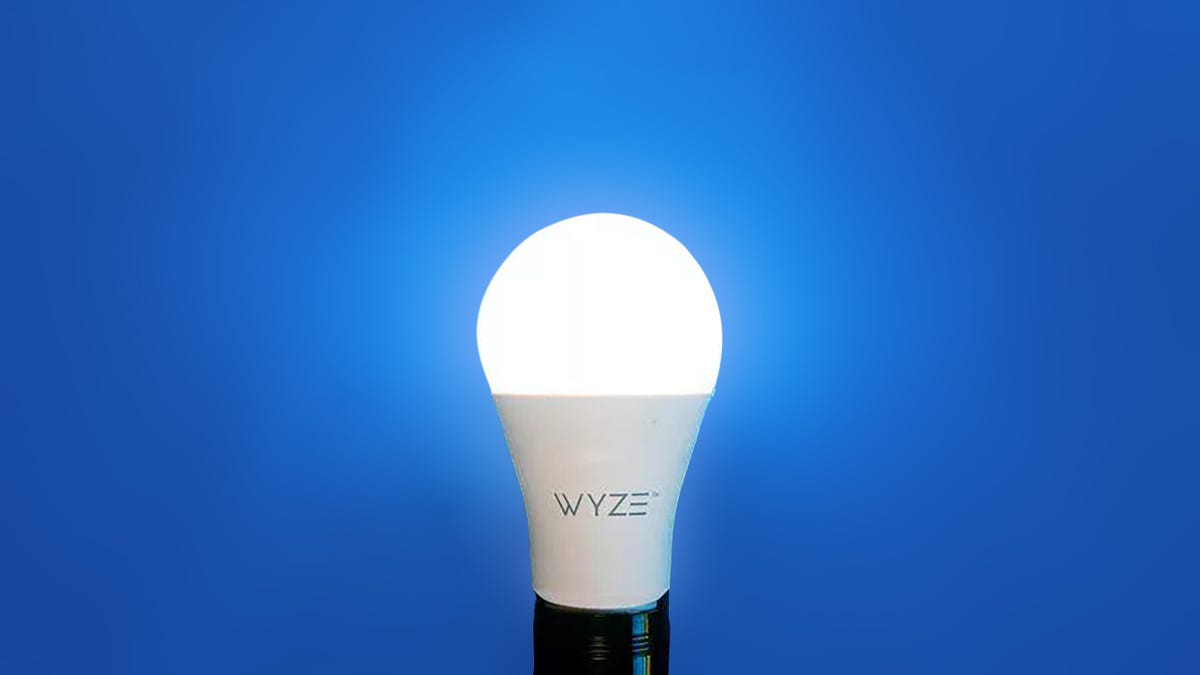
A lit Wyze lightbulb A lit Wyze lightbulb

–> <!–>

Wyze’s $8 bulb is an excellent white light LED. 

Chris Monroe/CNET

That’s part of the purpose of this post – to look at the smart home in a different way and to see what else is out there when you remove the most obvious players. That said, Alexa and Google Assistant are compatible with pretty much every smart home gadget at this point. For better or for worse, this would be an exceptionally short list if we stuck to devices that are entirely independent of Google Assistant and Alexa compatibility. It would be even shorter if we left off products that use backend support from Amazon Web Services or Google Cloud

Larger questions about market consolidation and data stewardship emerge when you go deeper down the rabbit hole on Amazon’s and Google’s omnipresence in our lives. There’s also the question of privacy. Amazon and Google dot headline for misusing user information and collecting health care data without informing people. Amazon’s home security company, Ring, has been the subject of numerous CNET reports for its partnership with over 725 law enforcement agencies across the US

I had to draw a line somewhere for this story, so for the purposes of this product roundup, Amazon, Ring, Blink, Eero, Ecobee, Google and Nest-branded devices are out. 

The brands I list here aren’t impervious to data breaches, either. Apple, which I nominate below for the best smart speaker and the best smart display, had an iPhone security flaw that allowed hackers to gather personal information from websites. An issue with Apple’s FaceTime app made it possible to listen to a person receiving a call, even if they didn’t answer the call.     

Still, this is a particularly great list if you have concerns about the privacy of Amazon and Google products. 

Now that all of that is out of the way, let’s get into this list of the top smart home devices that aren’t made by Amazon or Google.

–> <!–>

Show less –>

Apple’s smart speaker — the HomePod — hit stores in early 2018 but is already discontinued. The newer, smaller and smarter HomePod Mini is Apple’s sole smart speaker focus and our favorite pick if you don’t want an Amazon or Google model.

It delivers excellent sound quality and solid, albeit limited, third-party Siri voice integrations for controlling smart home devices. Pair two HomePod Minis together to create a stereo pair or set up multiple speakers throughout your home for multiroom audio. 

Read more: The Best Smart Speakers

Even so, the HomePod Mini — much like Apple’s smart home platform, HomeKit — still lags behind Amazon and Google’s ever-growing lineup of branded smart speakers and partnerships with other companies that enable so many integrations with a simple “Alexa” or “Hey, Google” command. 

One potential benefit to HomeKit and the HomePod’s slow third-party growth is improved security.  

Again, this doesn’t mean Apple is immune to privacy breaches, but its smart home has remained relatively untouched when you consider the Amazon and Google headlines. That makes the HomePod Mini a decent option for someone who’s a bit leery of smart speakers, particularly when it comes to user privacy. 

We’re also keeping an eye on crowdfunded smart speakers, like the Mycroft Mark II, which claims to give “you the power of voice while maintaining privacy and data independence.”

Show expert take Show less

Show less <!–>

–>

Netgear took a significant departure in price from the inaugural Orbi it introduced back in 2016 with this new Orbi Mesh Wi-Fi System. We liked the original model, but it cost a hefty $400. Fast-forward three years and Netgear is back with a whole new Orbi, this time for just over $100.

For your money, you get a two-pack Orbi system designed to cover up to 3,000 square feet and works with Alexa and Google Assistant voice commands. 3,000 square feet isn’t quite enough to blanket the large CNET Smart Home in Wi-Fi, but Netgear does offer three- and four-pack kits for $230 and $300 if you have more ground to cover. 

Read more: The Best Mesh Wi-Fi Systems

At close range, the Orbi clocked the faster top speeds during our testing, impressing us with its signal strength and general ability to keep up with the pricier Nest Wi-Fi and Eero systems. 

The Netgear app could use a redesign, but the Orbi Mesh Wi-Fi System offers great overall value and is well worth considering if you’re not quite ready to make the move to Wi-Fi 6 (but want a solid Wi-Fi connection throughout your house).

Show expert take Show less

Show less <!–>

–>

If you’ve overlooked the lowly smart plug up until now, you might want to reconsider. The $30 TP-Link Kasa Smart Plug Mini, available for less on Amazon (as of writing this, it’s just $22), makes it incredibly easy to control everyday household devices. 

Connect your smart plug to a wall outlet, then plug in a desk fan, lamp or other small electronic device for easy on/off control straight from your phone — or with an Alexa or Google Assistant voice command. In addition to the Kasa Smart Plug Mini’s reliable performance, I really like that this particular smart plug doesn’t block any other outlets — something that strangely isn’t always the case (including with TP-Link’s own Kasa Smart Wi-Fi Plug with Energy Monitoring). 

Read more: The Best Smart Plugs

The Kasa Smart Plug Mini can also be set to control a device automatically on a schedule. For example, if you want your entryway lamp to turn on at 6 p.m. and off at 10 p.m., just go to the app and schedule it. As long as your Wi-Fi connection is solid, your TP-Link Kasa Smart Plug Mini will control your devices for you, so you can focus on more important things.

Show expert take Show less

Show less <!–>

–>

The Wyze Bulb is an unassuming choice for the best light bulb. It only costs $10 a piece — a fraction of what Philips or Lifx charges — and yet, it earned top marks in our testing. That only makes its value all the more impressive.

Wyze’s smart bulb is a dimmable white-light LED with a scheduling function and an adjustable color temperature. 

Download the Wyze app, screw in the Wyze Bulb and follow the simple setup steps — and you’re just a few minutes away from having app-controlled lighting. Wyze Bulbs work with Alexa and Google Assistant as well, if you want to use a voice command to adjust them. 

Read more: The Best Smart Bulbs

While the app is easy to use and the dimming, scheduling and color temperature settings work well, I do wish the app had a sunrise/sunset setting that automatically adjusted the schedule based on the time of year. I have three Wyze bulbs in covered outside light fixtures and have to occasionally adjust my schedule to account for the changing seasons. 

Still, they’re excellent bulbs at a great price; we highly recommend them. 

Note: Wyze Bulbs are technically indoor lights, so make sure to follow Wyze’s guidelines when you install these yourself.

Show expert take Show less

Show less <!–>

–>

The Honeywell Home T9 is a nice-looking smart thermostat at a reasonable price, especially because it comes with a remote sensor that tracks temperature, humidity and motion. The remote sensor, called a “Smart Room Sensor,” is powered by two AAA batteries and is supposed to have a 200-foot range. Additional sensors cost $40 each (steep, I know) and you can add up to 20. 

Read more: The Best Smart Thermostats

The Honeywell Home T9 Smart Thermostat is easy to install and the app provides straightforward step-by-step instructions to get it connected to your Wi-Fi and paired to the app. As always, make sure to consult an electrician if you have any questions about how this thermostat will work with your particular home setup. 

If you want to branch out from the app, the T9 thermostat also works with Alexa and Google Assistant voice commands.

Show expert take Show less

<!–> Editors’ choice

–>

Show less <!–>

–>

Let’s get the annoying stuff out of the way first. At close to $400 for a two-camera pack, the Arlo Pro 3 is expensive. This kit also includes a required hub that you have to connect to your router. Arlo claims the hub helps extend the Wi-Fi range of its Pro 3 cameras and improves the battery life of each camera’s rechargeable battery, but feels superfluous compared to all of the non-hub Wi-Fi security cameras out there. 

Read more: The Best Home Security Cameras

That said, the Arlo Pro 3 is my favorite home security camera. It’s weatherproof and can go anywhere, as long as your Wi-Fi network reaches it. It has easy-to-remove rechargeable batteries that can last for months on a single charge (battery life will vary based on use). The camera itself has a built-in spotlight and siren to startle potential intruders. 

With an Arlo Smart subscription starting at $3 per month, you’ll receive custom motion alerts that tell you whether it sees a person, a car, an animal or a package, and you’ll get 30 days of access to recorded motion clips. Arlo cameras are compatible with Alexa and Google Assistant.

Show expert take Show less

Show less <!–>

–>

SimpliSafe bridges the gap between professional security systems like Vivint or ADT and standalone home security devices like the Arlo Pro 3 camera. It’s a complete, scalable home security system you install yourself. The $200 “Foundation” security kit comes with basics, including a hub, a keypad, a door/window sensor and a motion sensor. Add extra sensors and other devices as needed.

Read more: The Best Home Security Systems

For $25 per month, you get professional security monitoring from a remote call center and access to the SimpliSafe app where you can also check in on things yourself. Unlike professional security companies, SimpliSafe doesn’t come with an “early termination” fee or lock you into a contract. If you decide to cancel or move, you can either move your system to your new home or cancel without extra charges. 

SimpliSafe’s security system recently underwent a design overhaul making it much easier on the eyes than the last version. Overall, it’s an ideal system for someone craving the accessory options of an ADT without a contract.

Show expert take Show less

<!–> Editors’ choice

–>

Show less <!–>

–>

Unlike the pricey (but awesome) Arlo Pro 3, the $150 Arlo Video Doorbell is reasonably priced for a smart doorbell. The Arlo Video Doorbell has all the basics, including HD live streaming, motion alerts, night vision and two-way audio. It also has a wide 180-degree field of view in a 1:1 aspect ratio (meaning it’s easier to see packages left on the front porch than a traditional landscape view). 

Read more: The Best Video Doorbells

When the doorbell detects motion, or if someone rings the bell, a motion alert goes to your phone so you can see who’s there — and talk to them. The doorbell also comes with prerecorded messages if you don’t want to talk to them directly. 

This hardwired doorbell has a built-in siren like the Arlo Pro 3 camera and offers the same optional Arlo Smart cloud-subscription plan, starting at $3 a month. With Arlo Smart, you’ll get 30 days of saved custom video clips that specify whether the motion was a person, a car, an animal or a package being delivered.

Show expert take Show less

<!–> Editors’ choice

–>

Show less <!–>

–>

The August Smart Lock Pro is a Bluetooth-enabled smart lock. It comes bundled with a plug-in Connect Wi-Fi module so you can also control your lock beyond Bluetooth range from the August app. Like other locks from August (owned by the same company as Yale), this model retrofits over most deadbolts, making for a simple installation. 

Read more: The Best Smart Locks

In addition to the lock and the Connect module, the Smart Lock Pro kit includes a door sensor and a related feature called “Door Sense.” With this feature, you can confirm whether your door is open or closed and locked or unlocked straight from your phone. The app is easy to use, from following the step-by-step instructions to install your lock to checking whether your door is open or closed, as well as customizing your lock’s feature in the settings menu. The August Smart Lock Pro supports Alexa, Google Assistant and Siri voice commands.

Show expert take Show less

Show less <!–>

–>

If we’re ruling out the variety of Amazon- and Google-branded smart displays for the purposes of this post, I’m going to side-step all of the third-party displays out there. 

Instead, I’d suggest a regular old tablet: the Apple iPad. I know, two Apple devices in a row. CNET’s Scott Stein recommends the iPad — the 10.2-inch, released in 2021 — as an obvious affordable choice at the top of his list of favorite tablets. 

Read more: The Best Smart Displays

The iPad has the same Home app as an iPhone, meaning you can check in on and control all of your smart home devices on the iPad’s larger display. It also has Siri built-in, so you can use a voice command to turn on the reading light or open the living room shades.

Show expert take Show less

    !function(f,b,e,v,n,t,s)
    {if(f.fbq)return;n=f.fbq=function(){n.callMethod?
    n.callMethod.apply(n,arguments):n.queue.push(arguments)};
    if(!f._fbq)f._fbq=n;n.push=n;n.loaded=!0;n.version='2.0';
    n.queue=[];t=b.createElement(e);t.async=!0;
    t.src=v;s=b.getElementsByTagName(e)[0];
    s.parentNode.insertBefore(t,s)}(window, document,'script',
    'https://connect.facebook.net/en_US/fbevents.js');
    fbq('set', 'autoConfig', false, '789754228632403');
    fbq('init', '789754228632403');

Source: www.cnet.com

5 things about AI you may have missed today: AI to tackle global water crisis, TikTok tests AI-generated songs, more

0
Barcelona Nonprofit Earth05 harnesses AI to tackle global water crisis; AI unveils secrets of memory and imagination processes, UCL Study finds; Generative AI: A catalyst for job creation and economic inclusivity, says experts; AI deepfake transforms South Park characters into real people, dividing fan reactions- this and more in our daily roundup. Let us take a look.

1. Barcelona Nonprofit Earth05 harnesses AI to tackle global water crisis

Barcelona-based nonprofit Earth05, launched at the World Economic Forum, aims to combat the escalating global water crisis using artificial intelligence. With 2.2 billion people lacking safe drinking water currently, Earth05 integrates water, education, and AI to unite “brilliant minds.” The nonprofit seeks to improve the lives of 500 million people by 2030 by employing AI to analyze future water systems, predicting consumption and availability based on climate conditions, ABC News reported

2. AI unveils secrets of memory and imagination processes, UCL Study finds

University College London’s Institute of Cognitive Neuroscience researchers reveal how Artificial Intelligence elucidates the processes of memory formation and imagination. The study, published in Nature Human Behaviour, explores generative networks, demonstrating how AI extracts information from experiences to recall specific events and envision new ones. Lead author Eleanor Spens explains the parallel between remembering and imagining the past, emphasizing the collaboration of the hippocampus and neocortex in memory, imagination, and planning, Wion reported

3. Generative AI: A catalyst for job creation and economic inclusivity, says  experts 

Experts believe that significant investments, government incentives, and open-source content in generative artificial intelligence (AI) can alleviate unemployment and narrow socio-economic gaps. Vishal Talwar, Director of IMT Ghaziabad, highlights that generative AI can create new job roles and enable individuals with limited skills to perform higher-level tasks, fostering economic inclusivity. The discussion emphasises the need for infrastructure and budget provisions for generative AI-related innovation in India, according to a PTI report via Economic Times. 

4. AI deepfake transforms South Park characters into real people, dividing fan reactions

Berlin-based AI artist “demonflyingfox” uses deepfake technology to transform South Park characters into real people in an Eighties sitcom setting. The YouTube video, now on its 27th season, reimagines iconic characters like Eric Cartman and Stan Marsh. Reactions are mixed, with some finding the deepfake versions “creepy and weird,” while others praise the recreations as “on point.” Users highlight nuances, like Kenny’s incorrect hair colour, sparking diverse opinions on the unsettling yet fascinating transformations, according to the Independent report

5. TikTok tests AI-generated songs for user posts

TikTok is testing an “AI Song” feature, employing artificial intelligence to generate unique songs for user posts. Users input prompts, and the AI, powered by the Bloom language model, crafts lyrics, matched with music from TikTok’s catalogue. While the same tune may be reused with different lyrics, users can customise the genre. The feature, however, is bound by rules prohibiting harm, false information, and harassment in generated content, TechCrunch reported

Also read these top stories today:

AI chatbots birth windfall for chipmakers! AI is going to be the new driver of growth for the foreseeable future, and the whole chip industry will benefit. Yes, the chatbots’ popularity will be a windfall for TSMC. Read all about it here.

AI paranoia? Leaders at Davos are worried about AI fake news. But they mustn’t forget how Facebook and TikTok spread it. Dive in here. Found it interesting? Go on, and share it with everyone you know.

Apple Watch without blood oxygen feature better? Masimo CEO Joe Kiani, waging a legal fight with Apple Inc over a blood oxygen feature on Apple Watch, said that consumers are better off without the iPhone maker’s version of the technology. Know all about it here.

Source: tech.hindustantimes.com

PHILIPS Hue Bridge Hue LED Smart Lights (Compatible with Amazon Alexa, Apple HomeKit, and The Google Assistant, White, Pack of 1, 929001180606, B22)

0


Control your smart lights from anywhere: The heart of your Philips Hue system, this hue hub also enables you to control all of your Philips Hue products via the Philips Hue app, even when you’re away from home
Fully automate your smart home: Enhance your Philips Hue system by setting timers and alarms, connecting to a variety of apps, dimming the smart lights and more (cannot be used with conventional dimmers)
Expand your ecosystem: Easily expand your smart lighting system with Philips Hue accessories (sold separately), such as a Hue Dimmer Switch. Pair it for home automation with your existing Nest or SmartThings system. Control your hue lights by connecting the Hue Hub to your router with the included ethernet network cable. Components in the box: 1 Philips Hue Bridge, 1 ethernet network cable, 1 power adapter and manual
Philips Hue is based on ZigBee, a low-power and reliable technology to control your lights. New features and improvements are continuously added to the system. Updates to both software and firmware are done wirelessly and seamlessly, directly to your Philips Hue product.
The bridge can be placed on a flat surface like a table or can be fixed onto a wall for use.
Voice activated: With the Philips Hue Smart Hub, add up to 50 Philips Hue smart lights of your choice with this ZigBee-controlled hub necessary for voice control with Alexa, Apple HomeKit, or Google Assistant
Warranty: 2 years; Bridge Dimensions: Length 9.09 cm, Width 9.09 cm, Height 2.6 cm

Price: ₹5,610.00
(as of Jan 21, 2024 09:15:51 UTC – Details)
amazon buy button

Google DeepMind Scientists Said to Be in Talks to Leave and Form AI Startup

0

A pair of scientists at Google DeepMind, the Alphabet artificial intelligence division, have been talking with investors about forming an AI startup in Paris, according to people familiar with the conversations. The team has held discussions with potential investors about a financing round that may exceed EUR 200 million (roughly Rs. 1,800 crore) — a large sum, even for the buzzy field of AI, the people said. Laurent Sifre, who has been working as a scientist at DeepMind, is in talks to form the company, known at the moment as Holistic, with fellow DeepMind scientist Karl Tuyls, said the people, asking not to be identified discussing private information. They said the venture may be focused on building a new AI model.

Sifre and Tuyls didn’t respond to multiple requests for comment. A DeepMind representative declined to comment on the startup plans. The two have given notice to leave the company, a person familiar with the situation said, asking not to be identified because the information is private.

Sifre was a co-author of the 2016 DeepMind research on Go, a seminal work that showed a computer system beating masters of the ancient game for the first time, which sparked an international frenzy over AI. Tuyls has worked on research into game theory and multi-agent reinforcement learning, a branch of AI that explores interactions between autonomous actors, often through video games.

Both Sifre and Tuyls are widely considered leaders in their field, and the unusually large financing round being discussed is further evidence of strong investor interest in the technology. That’s particularly true in France, where venture capitalists and business tycoons have poured funds into startups emerging from Parisian universities and the AI hubs of Silicon Valley firms.

Mistral AI, an OpenAI rival whose chief executive officer also worked for DeepMind, formed in early 2023 and had raised two sizable rounds by the year’s end to earn a valuation around $2 billion (roughly Rs. 16,600). Kyutai, a nonprofit AI research lab, was formed in November with EUR 300 (roughly Rs. 2,700 crore) million in initial funding.

The new French startup under discussion is different from Holistic AI, an enterprise software business based in London.


Affiliate links may be automatically generated – see our ethics statement for details.

Source: www.gadgets360.com

After Assistant’s chaotic evolution, I can’t believe in Bard

0
Edgar Cervantes / Android Authority

Ever since Google announced it was removing over 20 features from Google Assistant last week, I’ve been trying to get to grips with why I’m so disappointed by this move. It’s not that any of the features were essential; I wasn’t using any of them in any substantial way, to be frank. No, it’s the announcement itself and what it means in the grand scheme of the Google Assistant story arc.

And what it means can be summed in one word: Chaos.

Chaos. Overpromising and underdelivering. Disorganized vision and unfocused strategy. Confusion for any and all existing users.

This is no way of treating consumers in 2024. Not when Apple is sitting over there, gaining momentum in the US market and becoming the first smartphone brand worldwide, all while being consistently consistent with its products and plans. Nothing Apple announces makes me dream big dreams, but everything it does makes me yearn for this kind of stability and perseverance in Google’s ecosystem.

Do you still have faith in Google’s Assistant/AI/Bard vision?

84 votes

Google Assistant pop-up on a Pixel

Mishaal Rahman / Android Authority

On a purely analytical and business level, I fully understand the removal of those 20 features from Assistant. Many of them were niche use cases or duplicates, and I’m sure Google has the usage data stats to know that only an infinitesimal fraction of people were accessing them. Disabling them shouldn’t affect most of us, so good riddance, right?!

Well, yes and no. Removing them now is the right thing to do on paper (except for those poor unlucky few who were relying on these options!), but it sends the wrong message at a time when faith in Assistant is hanging by a thread.

Removing these features sends the wrong message at a time when faith in Assistant and Google’s long-term vision is hanging by a thread.

By sunsetting these features, Google has reminded us that all of these minor, duplicate, pointless features were once allowed to be developed and launched. That resources were dedicated to them, but their bugs were never fixed. That they were never developed further, embraced, properly marketed, or allowed to shine. That some product manager(s) somewhere pushed a team to get these done, got their promotion, and never looked at them again.

Essentially, last week’s news was one more example of everything that has gone wrong with Google Assistant over the years.

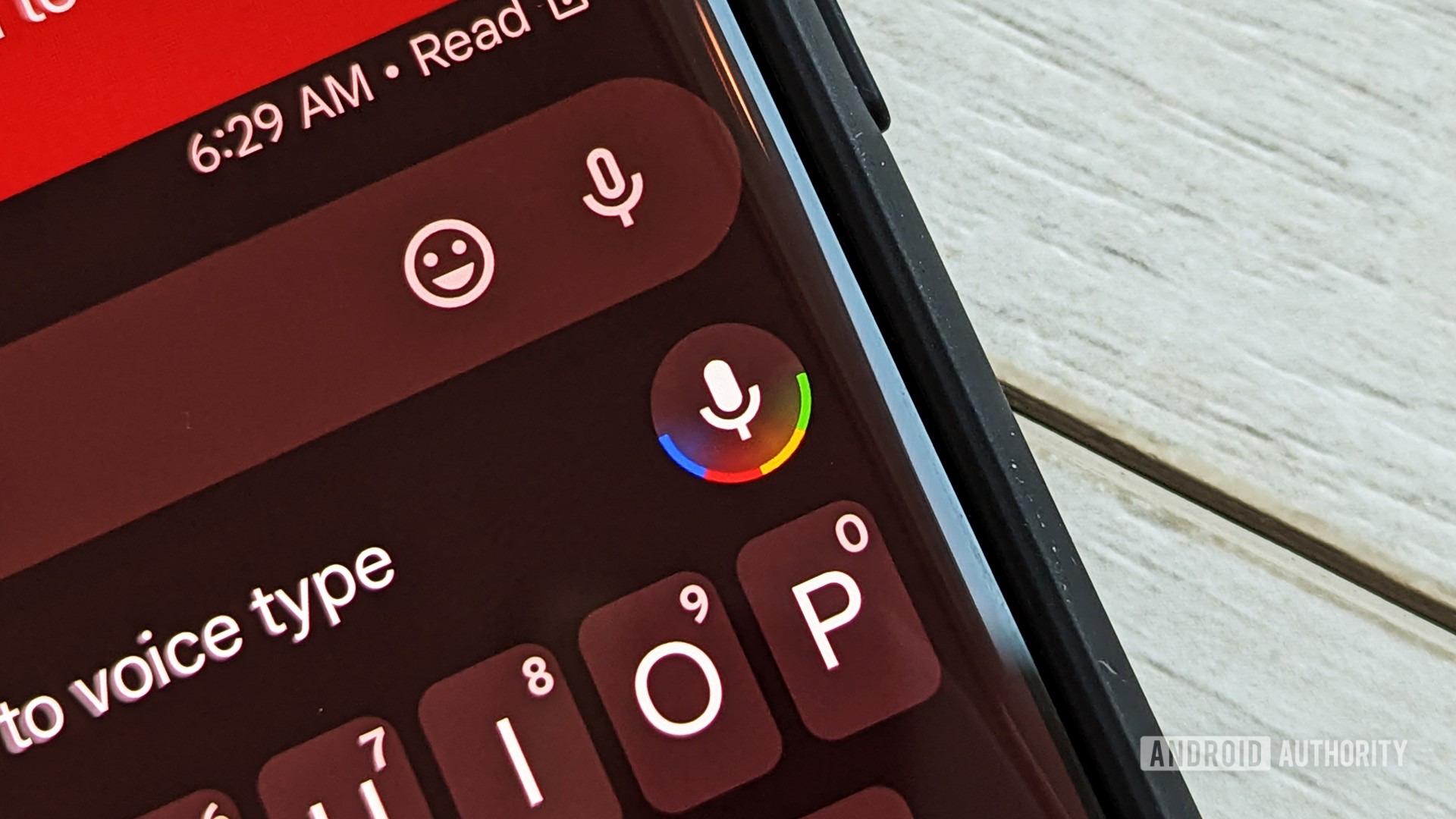
Google Assistant on-device voice typing.

C. Scott Brown / Android Authority

What started as an ambitious project quickly gained momentum, enough that it swept aside one of Google’s most beloved products at the time — Google Now. After that, everything was Assistant-this and Assistant-that for a few years. Google’s vocal helper was everywhere, even in places where it shouldn’t be. It replaced Google’s voice search on our home screens, took over the driving mode in Google Maps, tried to embed itself in the keyboard, our reminders, shopping lists, phone’s ambient mode, and it — sigh — even dared supersede the power button on our Android phones!

Seriously, there was a moment not so far back when Google believed in Assistant so much that it decided to hoist it a step above the actual button that powers on and off your smartphone. I’m still not over that.

While Google went hard and fast with Assistant and then let everything linger in limbo, Apple has been slowly improving Siri.

Meanwhile, Siri was everyone’s laughing stock for years but has slowly become good. Not by gaining a million features in a day, but by steadily adding a few things at a time. Don’t underestimate stability and persistence.

In comparison, look at Google Assistant now. Over the years, almost every aspect of it was reworked, dumped, revived, rebranded, and then finally sent to the Google graveyard. Over fifty small and big Assistant features have come and gone; that’s not an exaggeration, I have the receipts. And let’s not even talk about Google’s smart home strategy, which is as disastrous as its messaging strategy.

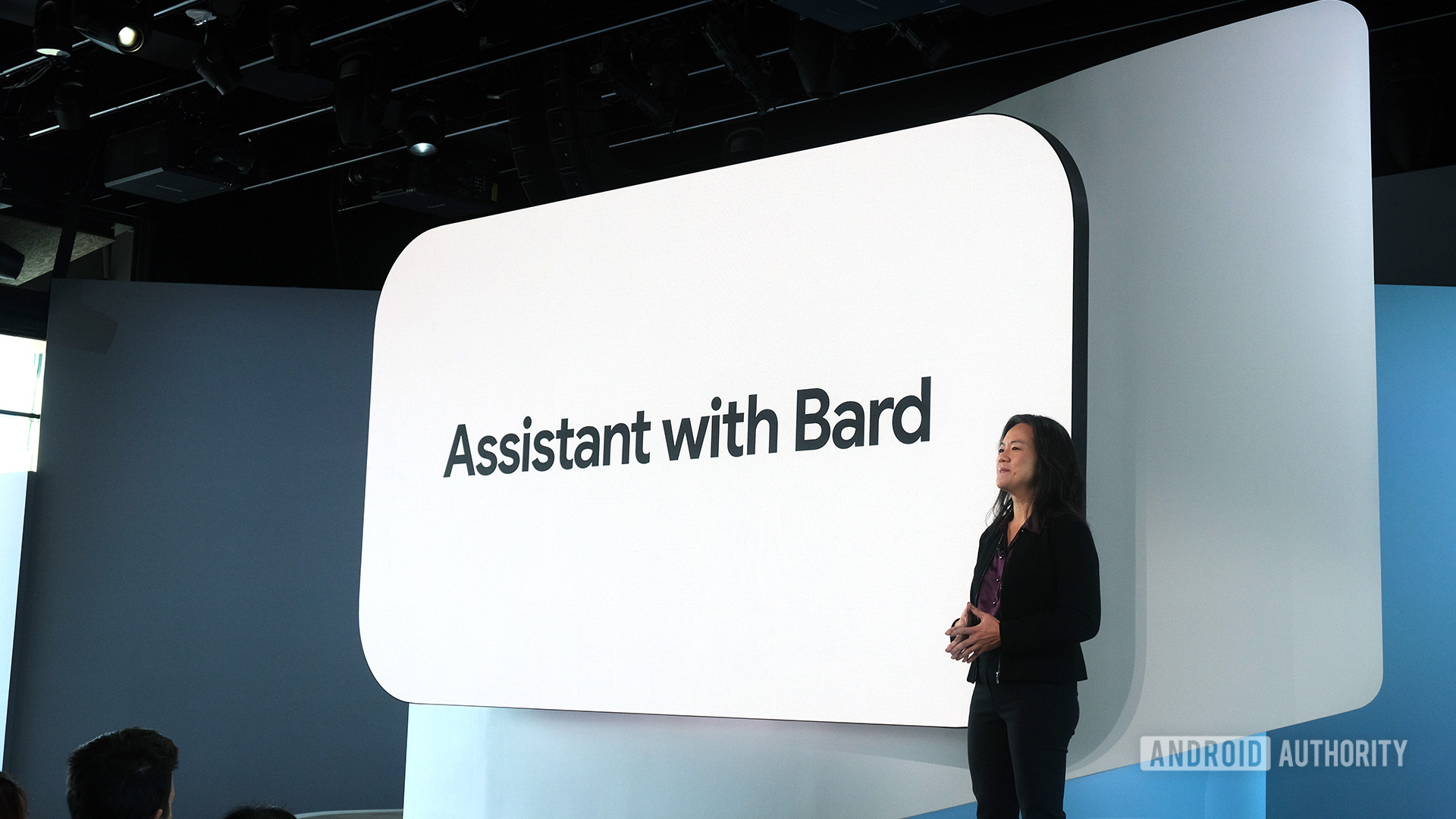
Assistant with Bard Presentation at Made by Google Event 2023

C. Scott Brown / Android Authority

After all of this, we’re supposed to get on board with Bard?

I say this with all of the exhaustion and hopelessness of someone who has been writing about mobile tech for 16-17 years now; who has been through the Nokia, Samsung, Google, and Apple eras; and who has tried to believe in Assistant, written hundreds of articles about it, and bought Home and Nest speakers for my own home.

I just can’t get excited about Bard.

I just can’t get excited about Bard. And I can’t get excited about Assistant with Bard, Bard with Assistant, Pixie, Bard with Gemini, or whatever other branding Google ends up using (and changing a half-dozen times) when it really rolls out generative AI assistance to Android.

I can’t get excited about it because I’m becoming more and more distrustful of Google’s vision — and is there even a vision at this point? Or are we just reacting to the competition? If you remember, Google Assistant was a reaction to Apple’s Siri, while Bard is a reaction to ChatGPT. Neither of them has been an original, well-thought-out project with a clear long-term plan.

Last week’s news was another reminder of that.

Does that mean that I won’t try Bard, test it, and use it? No. Of course, I will be using it and writing about it, because that’s what I like doing. But the trust is not there. It will take more than embedding Bard in Google Messages (Allo says hi) to convince me of Bard’s future and vision. For my own usage, I’m now jumping between Bard, ChatGPT, and Microsoft CoPilot, while when Assistant launched, I didn’t use anything else. That tells you everything.

Source: www.androidauthority.com

Google Keep Notes: Know how to use the app and 5 effortless ways to become a master

0
Google Keep Notes app often goes unnoticed, but it’s a powerful tool that can seamlessly connect Google’s services like Docs, Calendar, and Photos and boost your productivity power to the next level. To make the most of it, follow these essential steps and learn five tips to become a Google Keep master. To get started with Google Keep, download the app from the Google Play store on your Android device. Once installed, you can create, edit, and organize notes effortlessly. Create or edit a note, make lists, save drawings, label, color, and pin notes, archive notes and lists, and set up reminders. Significantly, sharing and collaborating with others is easy too.

How to Use Google Keep Notes

  • Download the Google Keep app from the Google Play Store.
  • Open the app and thereafter, create, edit, organize, and even archive notes.
  • Make lists, save drawings, label notes, set reminders, and more.

Share & Collaborate:

  • Share notes with others to collaborate effectively.

Now, let’s dive into five tips and tricks to unlock Google Keep’s full potential.

1. Import Notes into Google Docs

When your short writing project turns lengthy, seamlessly import Keep notes into Google Docs for enhanced formatting options. You can do this on your computer or mobile device.

On a computer:

  • Visit docs.google.com and open a document.
  • Click the Google Keep icon on the right panel.
  • Drag your notes into the document.

On mobile:

  • Open any note in Google Keep.
  • Tap the three-dot button and select “Send.”
  • Choose “Copy to Google Docs.”

2. Transcribe Text from a Photo

Google Keep Notes can transcribe text not just from audio but also from photos. Open a photo, tap the three-dot menu, and select “Grab image text.” The transcribed text will appear below the image.

3. Create and Add Labels

Labels are a handy way to organize notes. Open any note, type # followed by the label name (e.g., #Work), and tap “Create” to add the label. To filter notes by labels, tap the menu button and select the desired label.

4. Grab Image Texts in Google Keep

Capture text from pictures by opening a note, expanding the image, tapping the three-dot button, and selecting “Grab image text.”

5. Use Google Keep Chrome Extension

Install the Google Keep Chrome Extension from the Chrome web store. Right-click on a web page or image, select “Save to Keep” or “Save image to Keep,” type a note, and tap “Create note” to save it.

By following these tips, you’ll become a Google Keep expert, boosting your productivity and making the most of this underrated gem in the Google ecosystem.

Also read these top stories today:

The pricey Apple Vision Pro headset is SOLD OUT! What’s cooking? The delay suggests that either demand is strong or supplies are limited- or something in between. Find out what’s going on here.

Sam Altman is a worried man! Altman is worried there won’t be enough chips available soon. Some current forecasts for production of AI-related chips fall short of projected demand. Know where things stand and what Altman is looking to do here. Found it interesting? Go on, and share it with everyone you know.

In the age of AI, THIS is what young people must learn! The growth of AI means young people should be learning how to think critically and have good judgment, rather than developing coding skills. Makes sense or not? Find out here. If you enjoyed reading this article, please forward it to your friends and family.

Source: tech.hindustantimes.com

Philips 15-Watt Smart Wi-Fi LED Ceiling Lamp Downlighter WiZ Connected (Shades of White + Dimmable + Pre-Set Modes) (Compatible with Amazon Alexa and Google Assistant) (Pack of 1).

0


Include: 1 Smart Downlighter
Wattage: 15 watts
Warranty: 2 year on product
Tunable White downlighter
Voice Col – works with Google assistant and Alexa
On/off timers can be set for scheduling your day
Works with wiz wifi remote also – to be purchased separately
25000 hours life
150mm cutout Required
1500 LED O

Price: ₹1,785.90
(as of Jan 20, 2024 09:15:02 UTC – Details)
amazon buy button

SOCIAL

36FansLike
119FollowersFollow
2FollowersFollow
124FollowersFollow
55SubscribersSubscribe