New reviews surrounding London’s telephone snatching have come ahead, highlighting thieves’ who prefer iPhones over Samsung smartphones. In fresh cases, a number of reviews of telephone snatching have come ahead, and they all looked as if it would personal iPhones. However, if a Samsung telephone used to be stolen, it used to be in all probability returned. Therefore, Samsung or Android customers generally might stroll freely as their units might not be the prioritised goal.
A person named Mark, who just lately turned into a sufferer of telephone snatching, highlighted his revel in with London Centric. He described that he noticed a person coming using an e-bike, who snatched his telephone, however later what took place left him in surprise. Mark mentioned, “I noticed him forestall, have a look at my telephone, then throw it at the ground.” “He cycled off and I retrieved my telephone.”
In every other case, Sam describes his surprising revel in, the place a bunch of thieves attacked him, taking the whole lot he had, together with his telephone. However, as they began to run, probably the most thrive returned Sam his telephone again pronouncing, “Don’t need no Samsung.” This showcases a transparent trend of a prison team as they’re extremely prioritising stealing iPhones over Androids.
According to cybersecurity skilled Jake Moore, iPhones have a better resale worth compared to Androids. In addition, iPhones are mentioned to be simply formatted and bought, gaining a handy guide a rough benefit. This is what makes the iPhone extra sexy to selection for telephone snatchers. While this may well be the case for London, however it might occur in any area. Therefore, in case you are roaming the streets with an iPhone in hand, then you definitely will have to watch out of telephone snatchers, as you’ll be the principle goal.
With the vacations looming, it’s simple to get preoccupied with the mess that all of the merriment is certain to create. Fortunately, Black Friday is making your good house help a lot more inexpensive, and one of the most extra complicated robotic cleaners in the marketplace is matter to a nearly implausible worth drop. The Shark EnergyDetect ThermaCharged Robot Vacuum & Mop has been decreased from $1,200 to $699.99, saving you $500 in the event you catch the deal.
This is the overall package deal, whole with the NeverTouch Pro base that washes the mop with heated water, dries it with heated air, and handles many of the upkeep by itself. Once arrange, the bot can empty its particles bin for as much as 60 days, replenish its personal water tank for more or less 30 days, and blank and dry the mop after each and every run. It’s the type of machine designed to stick from your approach for weeks at a time.
Shark has additionally packed in a lot of detection tech. Dirt Detect ramps up suction on messier patches, whilst Edge Detect makes use of directed airflow or an extending mop pad to raised blank corners. Floor Detect adjusts suction relying on whether or not it’s tackling onerous flooring or carpet. The NeverStuck machine can carry itself over small hindrances, and it raises the mop when crossing carpets to keep away from dragging any moisture throughout them. On a complete battery, Shark claims as much as 3 hours of cleansing.
This robotic vacuum nonetheless isn’t a discount acquire, however you’re not going to feel sorry about it, particularly whilst you’re stress-free after the festive amusing as an alternative of scrubbing flooring. It boasts a 4.6-star ranking on Amazon, which isn’t any small feat for a wise house software.
It’s secure to mention that the financial savings in this high-end type gained’t be overwhelmed anytime quickly, so don’t pass over out. The widget above takes you to it.
Thank you for being a part of our neighborhood. Read our Comment Policy prior to posting.
Apple introduced two new iPhones in 2025, and each those new fashions flopped in the case of gross sales and insist. If you’re questioning about which fashions, then sure, we’re speaking concerning the iPhone 16e and the ultra-thin iPhone Air. Despite the underwhelming marketplace responses, either one of those fashions are anticipated to get successors, the iPhone 17e and iPhone Air 2, subsequent yr, which might reignite the spark or Apple’s purpose in the back of introducing those fashions.
The data was once shared via tipster leaker Fixed Focus Digital; on the other hand, the precise gross sales quantity was once now not published. The iPhone 16e was once introduced for budget-conscious shoppers who wish to revel in flagship-like options at a lower cost. However, the smartphone’s worth level was once moderately upper than anticipated, and the contest within the phase may be moderately top. With telephones just like the Google Pixel 9a, the OnePlus 13R, and others, the iPhone 16e was once now not ready to provoke patrons.
On the opposite hand, the ultra-thin iPhone Air definitely grabbed consideration for its narrow construct and top class design. However, it options compromises, and a whopping price ticket was once now not ready to provoke the tip shoppers. Now, the smartphone is experiencing a big downfall in the case of gross sales, and the producers have already began restricting manufacturing, in step with stories.
Now, as we look forward to the iPhone 17e and iPhone Air 2, we think Apple to carry vital upgrades or aggressive options that can convince patrons. While the rumours surrounding the iPhone Air 2 are narrow, it’s mentioned to function a twin digicam setup, while the iPhone 17e is rumoured to function an A19 chip. Now, we merely have to attend till the release of next-generation fashions to look how Apple plans to climb the ladder with heavy pageant.
Android Authority first noticed code regarding NFC information sharing in model 25.44.32 of the Google Play Services beta. The code incorporated nods to “Gesture Exchange,” “ContactExchangeTask,” and “ndef.” The latter time period is most probably a shortened model of NFC Data Exchange structure, in keeping with the document.
Gesture ExchangeGesture Exchange
A more recent model of Google Play Services, v25.46.31, allowed tinkerer AssembleDebug to turn on what may well be Android’s upcoming touch sharing interface. While those are transparent indicators Google is operating on an more uncomplicated method to proportion touch playing cards on Android, just like NameDrop, we do not but know what the characteristic shall be known as. Or, if it is based completely on NFC.
What could Android’s NameDrop alternative look like?
(Image credit: Android Authority)
For context, Apple added NameDrop with iOS 17, so it’s been available on iPhones for a few years now. Users create Contact Posters — which Google already brought to Android in the form of Calling Cards — with their name and a picture.
When they hold the top of their iPhone to another, they have the option to share their Contact Poster and contact information. The gesture can also be used to start SharePlay for communal movie-watching or game-playing.
The upcoming Android equivalent is less flashy at the moment, but that could change before the feature might release. It has fields for a photo, name, phone number, and email. There are checkboxes that let users select exactly what contact fields will be shared with another person. You also see a Receive only option that’ll share nothing with the other person.
After successfully using Contact Exchange, Android shows a screen confirming receipt and the contact details. From there, Android users could save the contact details transferred wirelessly to their phone and Google account.
Get the latest news from Android Central, your trusted companion in the world of Android
It’s unclear when, or if, Contact Exchange might publicly release for Android users. Considering Google already borrowed iOS 17’s other flagship feature, Contact Posters, it wouldn’t be surprising to see it take inspiration from NameDrop as well.
Being house on my own has its benefits: You can set your most well-liked temperature, flip up the amount for your audio system and make your favourite snack. But if you are frightened about break-ins or trespassers, that may truly kill the temper. Home safety generation has your again.
At CNET, we now have put in combination the most productive house safety gadgets we now have examined that paintings for anyone dwelling on my own or no less than spending numerous time on my own in the home. The proper locks, sensors and good house tips can pass a ways in serving to you’re feeling secure and protective you if the worst occurs. Here’s what to check out.
Don’t pass over any of our independent tech content material and lab-based opinions. Add CNET as a most well-liked Google supply.
Read extra: Essential Security Tips When Staying at an Airbnb or Rental
1. Install a movement sensor or tinkly bell
A elementary movement sensor is an affordable strategy to inform if any person is round.Amazon/HTZSAFE/CNET
One of the most productive protection measures to take when dwelling on my own is to grasp when anyone else is round. A standard possibility is attaching a string of bells for your door maintain, however we’ve extra loyal possible choices at the moment like this $12 light-up LED motion sensor.
If you favor an outside alert or a movement sensor that may quilt a protracted hallway/open ground plan, then you’ll be able to make a choice this $35 weather-resistant sensor and hub with an adjustable chime as an alternative.
This tip works particularly properly for the ones dwelling on my own as a result of detectors outdated or new may also be simply induced by way of children or companions, growing extra confusion than self belief. You’ll wish to put them at places and heights pets can not succeed in or turn on too.
2. Grab a transportable door lock to offer a room additional coverage
Portable locks are not only for touring: They could make bedrooms, house places of work and different spaces really feel more secure.Amazon/PASSDONE/CNET
Portable locks may give any conventional, non-deadbolt door an additional lock that is tougher to power thru, for folks in reality frightened a few violent breakin. You can simply put them on bed room doorways, condo doorways or every other door the place you need extra protection – it doesn’t matter what different safety the home has. It’s an invaluable, flexible answer if you are no longer certain how lengthy you’ll be able to be dwelling on my own and you need one thing additional for a particular room.
Portable locks are reasonably priced too. Here’s a two-pack for only $16. And if you need a extra really extensive improve, you’ll be able to all the time make a choice a wise lock with app controls.
3. Pick a transportable cam you’ll be able to transfer anywhere you wish to have
Ring’s battery cam is at the higher-end however gives a flexible, climate resistant approach to watch from any location.
Tyler Lacoma/CNET
A safety cam could be a welcome eye on your own home if you are dwelling on my own, however our mavens counsel a transportable, wi-fi indoor style on this case. You can transfer a transportable cam to look at over no matter room you need or any specific hallway, nook or shadow that is providing you with the creeps.
Blink’s reasonably priced doorbell is well-rounded affordable pick out.
Blink/Amazon
A video doorbell indicators you when anyone is coming near, permits you to communicate with a customer remotely and may even sound sirens or talk up with automatic messages. It’s an all-in-one safety tool that is particularly helpful if you are house on my own, and we’ve a complete information on the most productive fashions to your door. If you are maintaining a tally of your pockets, we will be able to additionally counsel a number of superb affordable video doorbells.
Keep in thoughts, maximum doorbells require a subscription or microSD card to retailer video photos. Some even let you set the doorbell to acknowledge acquainted faces and warn about an unfamiliar face, which customers would possibly choose.
5. Set your indoor/out of doors lighting fixtures to activate at night time
Ring good lights we could a house appear lively and entire.
Ring
Most random trespassers or burglars do not know you are house on my own. You could make the appearance much more convincing with good lights that activates at scheduled instances to make it seem like extra individuals are arriving house and lively in more than one rooms. It’s much more efficient than seeking to mimic a flashing TV or different outdated ways.
Smart bulbs are extra reasonably priced than ever, with choices like this Amazon Basics 4-pack available for $36. They’re made to suit into same old house sockets, and lots of now not require hubs to paintings so they are very versatile. Set and disregard a “activate” agenda to stay your own home taking a look busy it doesn’t matter what’s going down. And check out my selections for the most productive LED floodlights for better choices.
6. Change the passwords to your tool and lock logins
Change the password for your wi-fi community for added safety.
CNET
People dwelling on my own, particularly girls, are far more likely to be attacked by someone they know when they’re at house. So I like to recommend that after your dwelling scenario adjustments, you will have to prioritize converting the passwords for your safety apps, Wi-Fi routers, safety cameras or even your telephone. Don’t disregard to switch codes to your locks and storage door, if important. This is a elementary safety step that is all-too-easy to disregard when you find yourself being used to dwelling on my own.
Read extra: We Asked a Criminologist About The Most Common Ways Burglars Break In
7. Choose a top of the range keychain pepper spray
A keychain pepper spray is not handiest helpful outdoor if you are dwelling on my own.
Sabre
You by no means wish to be in a scenario the place you’re feeling bodily threatened by way of anyone, but when it occurs it is nice to have somewhat can of Mace or pepper spray shut by way of. This Sabre spray is available for $10 and attaches for your keychain so that you all the time have it within reach. You may even loop it to a couple telephone circumstances, handbags or belts. It has a snappy detach clasp for simple get right of entry to, plus a twist lock for protection.
Set up a voice assistant emergency provider
Echo’s Dot speaker can carry out many purposes within the good house.
Tyler Lacoma/CNET
Many voice assistants can name 911 for you or carry out different duties if you are no longer close to your telephone. But some pass additional. One of the most productive present examples is Alexa Emergency Assist, which will retailer your well being knowledge and emergency touch, put you involved with an pressing reaction agent, and provide you with notifications about hearth alarms or breaking glass while you are not at house. The service starts at $6 per month. Other house safety tracking can be offering identical products and services, however Alexa Emergency Assist is without doubt one of the extra reasonably priced choices if you have already got an Echo speaker.
Bonus tip: Invest in a panic button
A panic button is a dearer possibility for solo dwelling, however provides you with quick emergency get right of entry to.
These gadgets take a subscription to paintings correctly and are not for each and every pockets, however they do entire your own home safety when no person else is round (or house protection for a beloved one in a identical scenario).
For extra spot-on safety guidelines, take a look at if you’ll be able to use a safety cam in an condo development, deter burglars from your own home, if a canine is excellent for house safety and the worst puts to position a safety digital camera.
Apple will formally have fun its twentieth anniversary in 2027, and throughout the yr, it’s anticipated to release the iPhone 20, skipping the iPhone 19 fashions. The 2027 iPhone fashions are rumoured to have primary upgrades relating to design, efficiency, and different facets. In fresh leaks, the iPhone 20 is rumoured to get an all-display design, this means that it won’t have a entrance digicam cutout, and the bezels will not be as visual. Therefore, in case you are making plans to shop for the iPhone 17 or iPhone 18 fashions, then chances are you’ll wish to look ahead to the iPhone 20 fashions, that are anticipated to debut in 2027.
iPhone 20 to get a design overhual
A tipster who is going through the identify Digital Chat Station (DCS) shared a publish at the platform, revealing that Apple would possibly plan for a real all-display design for the 2027 iPhone. The corporate is claimed to be growing an under-display digicam era that can most probably take away the digicam cutouts from the iPhone show. In addition, the iPhone 20 may even fortify under-display Face ID era, therefore we will see an all-screen iPhone show.
However, ahead of the iPhone 20, the under-display selfie digicam era may just make a debut with the iPhone Fold. The Apple foldable is predicted to release in 2026 or 2027. Hence, we would possibly get a preview of Apple’s new era and the way it should carry out in actual existence if the foldable launches within the client marketplace.
Alongside the all-screen design for iPhone 20, additionally it is anticipated to get different design adjustments. However, we’re but to get extra details about the predicted adjustments. In addition, it must be famous that we nonetheless have about 2 years to witness the iPhone 20 release, and Apple may just make a number of adjustments and plans ahead of the software is going into manufacturing.
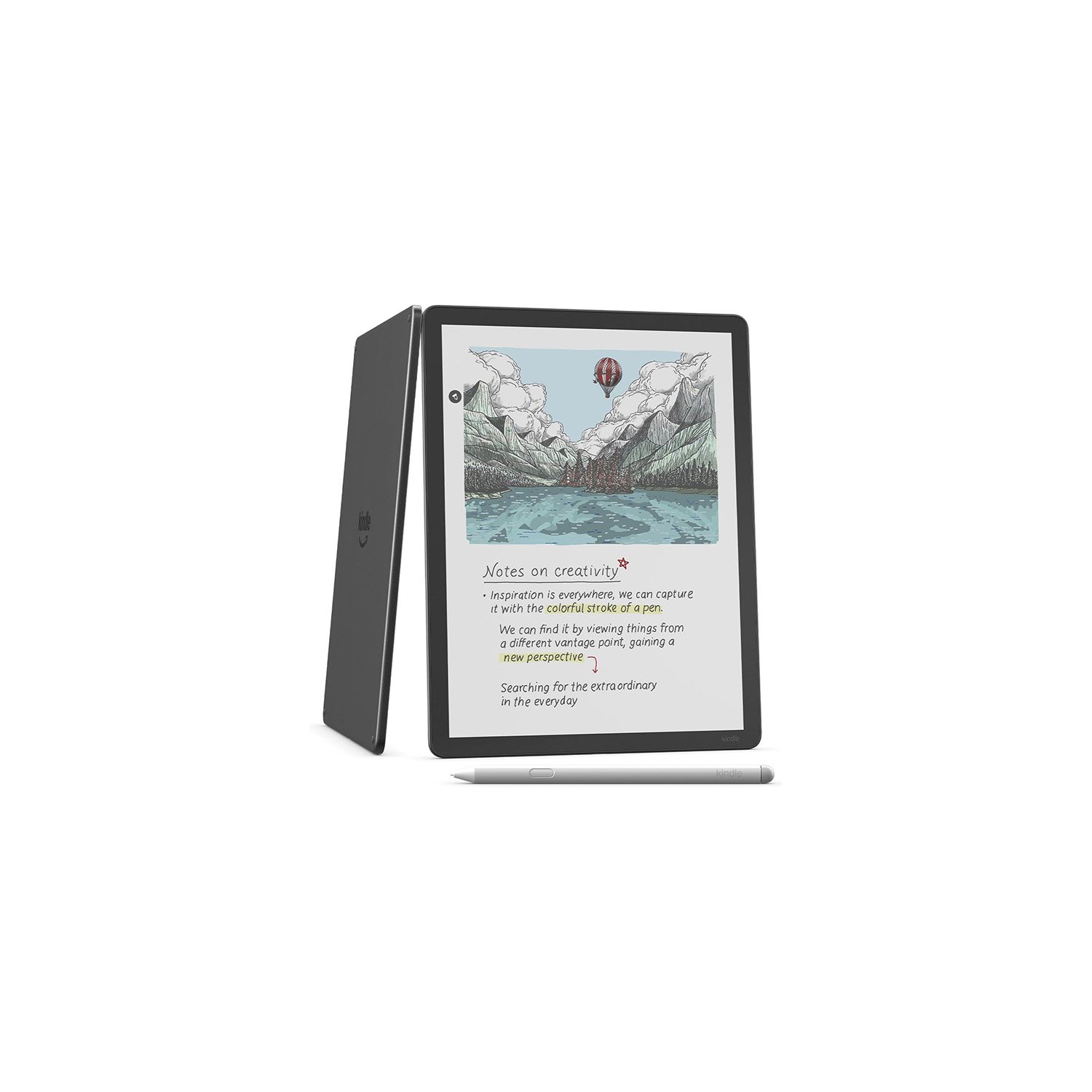
Amazon’s newest Kindle Scribe Colorsoft is formally out within the wild. Well, nearly. The new e-reader is continue to exist Amazon’s web site however nonetheless indexed as “Coming Soon,” giving us a peek at the whole thing it’s packing with out the pleasure of an Add-to-Cart button. Based at the specifications and main points already printed, even though, I’m all in for 5 causes.
Are you interested by the brand new Kindle Scribe Colorsoft?
153 votes
1. A shiny soar to paint
Stephen Schenck / Android Authority
The Kindle Scribe Colorsoft trades grayscale for an 11-inch Colorsoft show, a real colour E Ink panel designed for sharper charts, richer illustrations, and highlights that in any case stand aside as an alternative of mixing in combination. Where the Kindle Scribe 2024 crowned out at 10.2 inches and was once restricted to grayscale, this improve feels just like the inventive leap forward the Scribe line’s been looking forward to. As any individual who color-codes the whole thing from article outlines to grocery lists, grayscale has at all times felt like an inventive straightjacket. I’m additionally excited to check it out within the kitchen, the place colourful recipe pictures and element callouts would possibly in any case make virtual cookbooks really feel much less like lab paintings. For comedian enthusiasts, textbook annotators, and any person who can’t face up to a rainbow of virtual highlighters, the replace to paint is a large one.
2. A writing floor that looks like paper
Stephen Schenck / Android Authority
Amazon pairs the upgraded show with a textured, paper-like floor and its Premium Pen, which nonetheless by no means wishes charging. This era provides a remodeled glass layer that enhances friction and claims to almost get rid of the parallax hole, so ink seems to land precisely the place the end meets the display. Amazon additionally guarantees writing (and web page turns) which are as much as 40% sooner. The first-gen Scribe feels only a contact too slick, like writing on glass, however this model sounds just like the repair. For journaling and sketching, I’m excited for extra actual enter.
3. A thinner, lighter, travel-ready construct
Stephen Schenck / Android Authority
At simply 5.4 mm thick and more or less 400 grams, the brand new Scribe is sleeker and more uncomplicated to take care of than ever. The slimmed-down design assists in keeping the huge display feeling strangely manageable, one thing I’ll respect on lengthy flights whilst looking to annotate midair. It’s mild sufficient to slide into my carry-on and not using a 2nd idea and balanced sufficient to carry one-handed all over late-night studying classes. For me, that’s the variation between a tool I pack “simply in case” and one who in reality earns a place in my bag.
4. Improved lighting fixtures for each atmosphere
Stephen Schenck / Android Authority
The entrance mild has been totally re-engineered for higher colour steadiness, brightness, and uniformity. The earlier style already presented superb lighting fixtures, however this redesign pushes it even additional. Amazon swapped in a brand new mild information and delicate LEDs to chop glare and scale back reflections, which means colours keep vibrant in daylight and with ease cushy at evening. I will already see myself propping it at the counter whilst cooking dinner, following recipes beneath heat kitchen lighting fixtures and not using a trace of display glare. E Ink has at all times been type to drained eyes, however this setup sounds much more forgiving.
5. It’s constructed for precise productiveness
Stephen Schenck / Android Authority
Beyond studying, the brand new Scribe doubles down on getting issues completed. The ultimate style hinted at productiveness, however this one feels waiting to ship. You can import information directly from Google Drive or Microsoft OneDrive, mark them up naturally, then export notes at once to OneNote. The software additionally contains AI-powered seek and chat equipment to seek out concepts buried for your scribbles. My hope is that it looks like an actual workstation, now not a novelty, and that it in any case delivers at the promise of studying and writing in a single cohesive area.
Amazon’s Kindle Scribe Colorsoft brings colour to e-ink, providing a thinner design, stepped forward lighting fixtures, and smarter pen equipment for its maximum complex studying and writing revel in but.
Don’t wish to omit the most productive from Android Authority?
Thank you for being a part of our group. Read our Comment Policy prior to posting.
Smart units are not only for householders: Many units do not require main adjustments to an rental or particular permission from a landlord, however can nonetheless equip a house with precious high-tech options and further protection layers.
If you might be on the lookout for the most productive tech presents for a renter for your lifestyles, I counsel beginning proper right here. These units are simple to make use of, do not require drills or wiring paintings and be offering on a regular basis solutions for busy tenants.
Read extra: 11 Home Security Myths People Still Believe (But Shouldn’t)
A common sensible plug or two
Smart plugs are affordable tactics so as to add automation to a house.James Martin/CNET
Because sensible plugs want best an ordinary domestic outlet, renters can use them round the house with out being concerned about inflicting any everlasting harm. Smart plugs can lend their smarts to the rest from lamps and battery chargers to fountains and night-lights.
Using their apps, you’ll set schedules, view power intake and create routines so units activate best in sure stipulations. View our complete listing of the most productive sensible plugs right here. Some of our favourite manufacturers come with GE Cync, HBN, Kasa and Leviton.
A appropriate sensible speaker
The Amazon Echo Spot is a brilliant sensible speaker, and the addition of a clock for easy visible cues is improbable.Chris Wedel/CNET
Smart audio system from Amazon Echos to Apple HomePods include voice assistant compatibility and tactics to connect with favourite track products and services like Spotify so renters can pay attention to their favourite songs on call for — or simply ask in regards to the day by day visitors.
Smart audio system too can hook up with a number of different sensible domestic units so they are able to be managed with voice instructions. And regardless of their small measurement, they are lovely just right at filling a room with sound after they wish to. Some fashions even double as TV speaker bars. View our favorites right here, from huge to mini fashions.
You may just additionally improve your present to a wise show, which has similarities however has a display for video directions, TV displays and so forth.
Smart bulbs for key spots
Smart bulbs upload all the things from temper lighting fixtures to further alarm oomph.
Amazon/Wiz/CNET
Smart bulbs screw into usual bulb sockets and maximum fashions in this day and age don’t want an additional hub to paintings. You can simply screw them in, convey up the app to glue and regulate them alternatively you wish to have. These bulbs are nice for dimming and brightening during the day, atmosphere temper lighting fixtures at sure occasions or connecting to alarms and different sensible domestic stipulations. We’ve accumulated the most productive sensible lighting right here, from manufacturers like Govee, Philips Hue and Wiz, with alternatives at not up to $20.
A standalone air high quality observe
SwitchBot’s air high quality observe is the most affordable means now we have discovered to observe air high quality in your house.
SwitchBot
Air high quality is necessary for well being, allergic reaction alleviation and a just right evening’s sleep. But renters do not normally know what the air high quality is like of their rental or condominium space. You can lend a hand them out with a high-tech dehumifidier or, for a inexpensive choice, this transportable little air high quality and humidity observe from SwitchBot.
Arlo all-in-one sensor safety device
Arlo’s do-everything sensors are nice for a small house.
Arlo
Small safety methods may also be a very good have compatibility for renters however no longer everybody has the time or power to set them up and use them correctly. For this we desire Arlo’s safety device, which has 8-in-1 sensors that may do some little bit of all the things regardless of the place you set them, from detecting doorways opening to tracking for leaks.
Just a few those Arlo sensors ($100 overall) can fill a large number of other roles in a condominium. If renters transfer to a extra everlasting domestic, they are able to upload a appropriate doorbell and Arlo fob, too. Just remember that options like sensible signals and video garage do require a subscription.
A standalone digital camera
Tapo’s reasonably priced cam is a brilliant standalone fashion.
TP-Link/CNET
Although mounting a safety digital camera is also out of the query for renters, they are able to nonetheless arrange their very own shelf or desk cam to stay on eye on their most precious possessions. You can view our complete indoor cam listing right here however one in all our favorites is this Tapo 2K pan/tilt cam ($35), which is reasonably priced and does not require a subscription to get probably the most out of it.
A multimode air fryer
It seems just right. It works nice. What extra may just you ask for?
Ninja
Although it is extra sensible home-adjacent than sensible tech, a countertop air fryer serves a wide variety of speedy-heating wishes. It we could even newcomers prepare dinner foods like hamburgers, fries, hen wings, pizza and lots of different tasty, fast foods in some way that is a lot more healthy than conventional frying. Most fashions additionally permit you to gradual roast, bake, reheat and extra, making them a pleasing centerpiece for a small kitchen.
Check out our complete listing of the most productive air fryers right here, with well-liked manufacturers like Ninja, Cosori and Gourmia.
A small sensible protected
Lockly’s biometric protected is a wonderful choice for smaller domestic safes.
CNET/Tyler Lacoma
Renters more than likely are not allowed to bolt a house protected to the ground or wall however thankfully, they are able to nonetheless get pleasure from a smaller sensible protected to retailer valuables, money, paperwork or even guns. One of our favourite fashions is that this Lockly sensible protected with fingerprint get admission to, Bluetooth controls and a rotating quantity touchpad. We attempted forcing our means into it and had no success!
For extra whole renter recommendation, check out safety pointers in case you are dwelling with tough roommates, the most productive domestic safety methods for renters and what to do when you hire or purchase a house and to find an sudden safety device.
From the times of dial-up networks to nowadays’s speedy fibre web connections, era has come a ways, and so have the telephones we use. Despite the enchantment of complex smartphones from manufacturers like Apple and Samsung, many of us are actually creating a aware shift again to the usage of characteristic telephones, ceaselessly known as ‘dumb telephones’. The sturdiness, longer battery existence, affordability, and the speculation of virtual detox are encouraging customers to shop for characteristic telephones. One of the largest causes other folks favor smartphones is the ease they provide, particularly for such things as invoice bills and cash transfers. However, even characteristic telephones now make stronger the preferred Unified Payments Interface (UPI), making virtual bills to be had to almost each consumer with a telephone and a checking account.
The UPI 123Pay carrier offered via the Reserve Bank of India (RBI) allows UPI transactions for customers who shouldn’t have get entry to to smartphones however have a checking account related to their cellular quantity. Here’s how you’ll make UPI bills the usage of a characteristic telephone.
How to Make UPI Payments Through a Feature Phone With UPI 123Pay
Dial the UPI 123Pay IVR quantity 08045163666 out of your characteristic telephone to attach to the UPI cost gadget.
Listen to the directions and make a selection your language
Follow the voice directions to hyperlink your checking account related with the cellular quantity (for first-time customers).
Choose the transaction sort, like checking your account steadiness, sending cash, or soliciting for cost.
Select the Send Money choice.
Enter the cellular quantity, UPI ID, or checking account quantity and IFSC code of the recipient.
Enter the cost quantity.
Enter your UPI Pin to authorise and entire the transaction.
Wait for the affirmation, then hold up.
To use the UPI 123Pay carrier, the cellular collection of the customers will have to be related to their checking account. While registering, customers can be required to create a 4 to 6-digit UPI PIN, and this PIN will have to be entered for each transaction. If you have already got a UPI PIN, you’ll proceed the usage of it. The carrier does not require an web connection and works on maximum characteristic telephones via common voice calls.
How to Make UPI Payment by the use of App and Sound-Based Technology
The NPCI additionally shall we customers make UPI bills the usage of sound-based era via merely calling the IVR quantity. You can observe the stairs beneath to make a UPI cost the usage of the sound-based era supplied on some sound field gadgets.
Select the ‘Pay to Merchant’ choice, then faucet your telephone close to the product owner’s sound field instrument.
Wait for a novel tone to be performed, they press the # key.
Enter the volume you wish to have to pay, adopted via their UPI PIN to finish the cost.
Wait for the sound field to offer an audible affirmation.
Select characteristic telephone makers be offering integrated apps with UPI capability, permitting customers to accomplish maximum UPI transactions very similar to smartphone apps. It helps cash switch, steadiness take a look at, and invoice bills, however the Scan and Pay choice is most often now not to be had as those gadgets lack a digital camera.
Get your day-to-day dose of tech information, opinions, and insights, in below 80 characters on Gadgets 360 Turbo. Connect with fellow tech fans on our Forum. Follow us on X, Facebook, WhatsApp, Threads and Google News for immediate updates. Catch the entire motion on our YouTube channel.
Indian Rhythm Action Game Suri: The Seventh Note Gets Gameplay Trailer; Launch Set for 2026
Jio vs Airtel vs Vi: Cheapest Postpaid Plans Compared
(Image credit score: Nicholas Sutrich / Android Central)
In Hardwired, AC Senior Editor Harish Jonnalagadda delves into all issues {hardware}, together with telephones, audio merchandise, garage servers, and networking tools.
I’ve had a hectic month of go back and forth the place I’ve been to 3 nations and logged over 60 hours of flying time. A just right headset is a must have, and is most often one of the most first issues that is going in my go back and forth bag. I used Nothing’s Headphone 1 previously (most commonly because of the appearance and sound high quality), however I upgraded to Bose’s QuietComfort Ultra Gen 2 within the closing month, and it’s been remarkable.
I used the sooner style, the QuietComfort Ultra, for reasonably some time now, and I just like the design and customizable sound at the side of terrific noise isolation. The QuietComfort Ultra Gen 2 does not alternate issues an excessive amount of; it seems the similar and has the similar nice sound. Essentially, it is an iterative replace that addresses two problems: audio over USB-C and battery lifestyles. The QC Ultra Gen 2 lasts as much as 30 hours on a price, six hours greater than its predecessor.
The build up in battery lifestyles makes all of the distinction in common use, and why I went with the QC Ultra Gen 2 over different headsets I’ve readily available. Notably, I discovered it to be larger than the Sony WH-1000XM6 for my very own use; this is a smidgen lighter at 250g, however it suits significantly better on my head, and I discovered it to be extraordinarily at ease on long-haul intercontinental flights. The scarf has a just right vary of adjustability, and it distributes the burden of the headset flippantly.
Another plus level is that it does not take in as a lot room; it folds down flat (similar to the Sony), however the wearing case is not any place as huge, and that makes the QC Ultra Gen 2 slightly more uncomplicated to fit into my admittedly-crowded tech bag. The clamping power is not as top, and the cozy are compatible and lush ear pads have an enormous affect on a 20-hour flight. I had the headset on all the time whilst touring to the U.S. from India, and as a rule, I did not even realize it was once there.
That brings me to the following section: noise isolation. Both Bose and Sony do an excellent process on this house, and I discovered the QC Ultra Gen 2 to music out the incessant whine of jet engines with none issues — it handles the low rumble of engines slightly larger than Sony. Honestly, if you are a common traveler, making an investment in a headset with just right noise isolation is the most productive factor you’ll be able to do, and the QC Ultra Gen 2 is without doubt one of the easiest — if no longer the most productive total — on this regard.
The angled design of the audio drivers approach you get detailed sound, and Bose does a standout process with spatial audio, providing an expanded soundstage that is spectacular. Again, this makes a distinction on an extended flight, and whilst Bose does not have in depth EQ choices, I at all times discovered the emblem’s tuning to be preferable to my tastes — extra so than the WH-100XM6. The bass particularly is colourful and detailed, and it makes taking note of maximum genres that a lot more relaxing.
There are different niceties, together with the power to get lossless audio over USB-C. This is not one thing that I care about whilst touring, however it’s reasonably to hand whilst I’m house, and it was once amusing connecting the headset to my Fiio K19 DAC and listening by the use of Roon. The headset will get the AptX suite as usual, and I did not have any problems the usage of it with my Vivo X300 Pro and Find X9 Pro. Like all different Bose headsets, it will get the power to connect with two gadgets, and switching between the 2 is easy.
Get the most recent information from Android Central, your depended on spouse on the earth of Android
I did not see any issues of Bluetooth connectivity, with the headset simply pairing to all of the telephones I examined over the process the closing month, in addition to my iPad Pro M4. It’s simple to glue the headset to a brand new tool as smartly; the main points are saved on your Google account, so when it’s in vary of a brand new tool, you routinely get a conversation field asking if you would like to connect with it.
Then there is the battery lifestyles; that is the place the QC Ultra Gen 2 does significantly larger than its predecessor. The WH-1000XM6 nonetheless has the entire edge, however I did not have any problems getting the QC Ultra Gen 2 to closing with regards to 30 hours. Thankfully, speedy charging is unbroken, so a 15-minute price will give you an extra two hours of song playback, and that certainly turns out to be useful.
Comfort performs a large position when opting for a go back and forth headset, and the QuietComfort Ultra Gen 2 will get the whole lot proper on this house — and that is the reason why I exploit it over the WH-1000XM6. The sound high quality is without doubt one of the easiest of any headset, and it holds as much as the pains of long-haul go back and forth. While I’ll admit that the WH-1000XM6 is excellent in its personal proper, I discovered the QuietComfort Ultra Gen 2 to be better-suited to my wishes, and it’s now a mainstay in my go back and forth bag.
Bose
QuietComfort Ultra Gen 2 Headset
With superb convenience and standout sound high quality, Bose’s QuietComfort Ultra Gen 2 is the go back and forth headset to overcome.